04 / 06 · Rust · smithay 0.7 · syngui
syndesktop
A Wayland desktop environment in Rust, laid out like Plasma: a compositor, a shell and system settings as separate programs, configured through one file with changes applied live.
- Licence
- MIT OR Apache-2.0
- Platform
- Linux · Wayland
- Packages
- Cargo
- Status
- Early, build from source
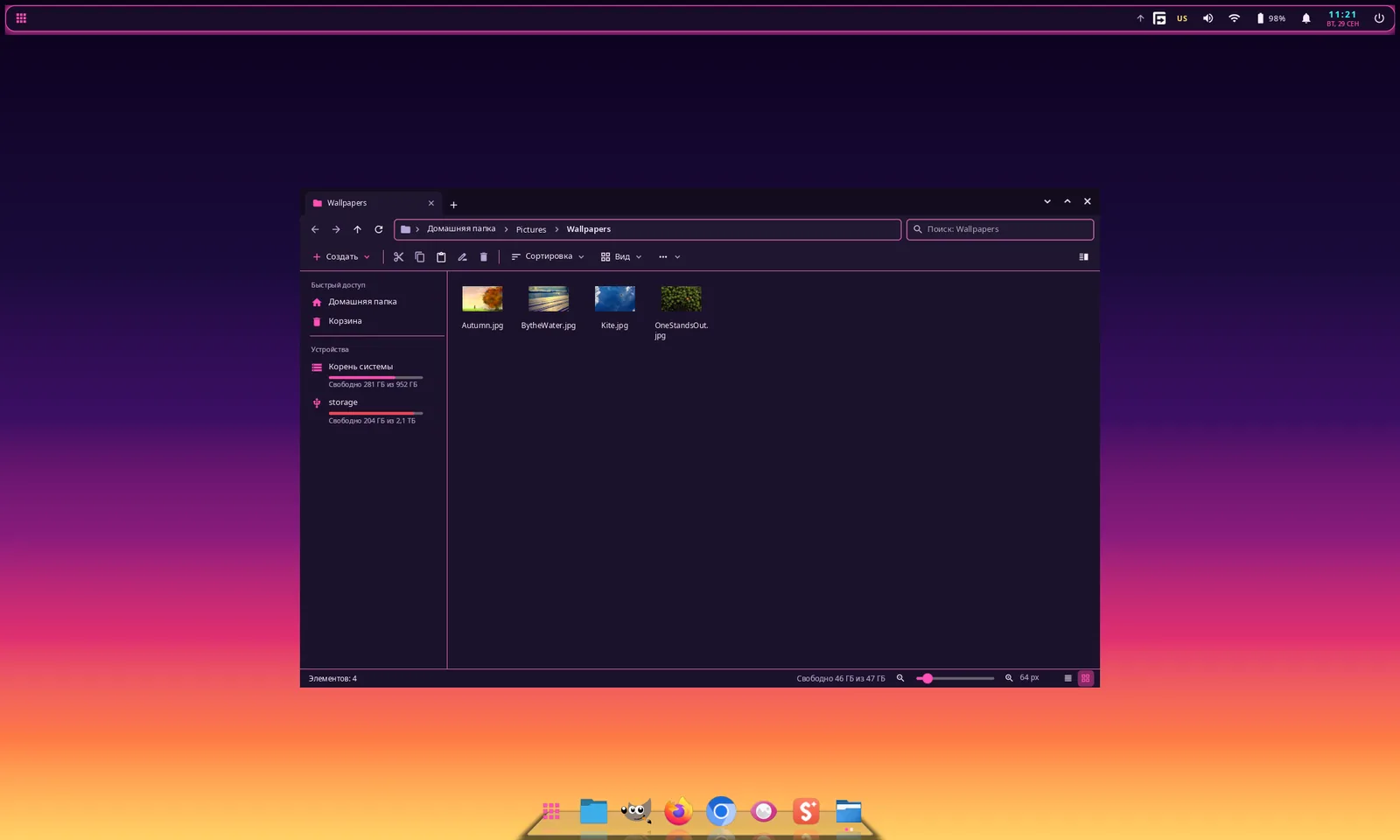
What it is
syndesktop is a desktop environment for Wayland, written in Rust, with its interface drawn by syngui. It is split the way Plasma is: a compositor, a shell and a system-settings app are separate programs.
Almost everything is configured through ~/.config/syndesktop/config.toml, and changes apply on the fly. The settings app edits that file with toml_edit, so your comments survive.
Key features
- Compositor on smithay 0.7: DRM/KMS with several GPUs, hotplug and DPMS, or a nested window; server-side decorations, workspaces, floating / tile / columns / grid / monocle layouts, snapping to screen halves, window overview, Alt+Tab, window rules, Xwayland and IPC.
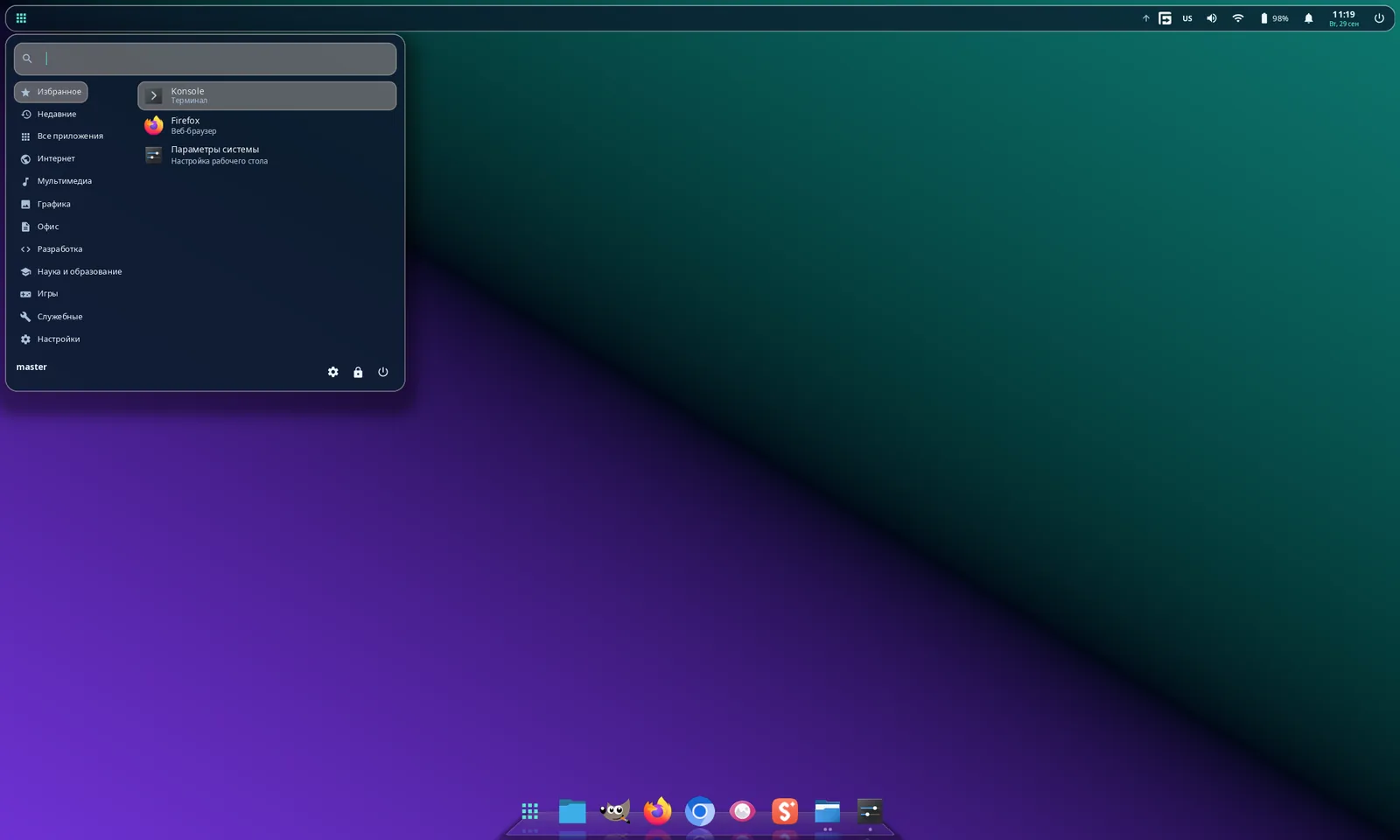
- Shell on syngui (layer-shell): wallpaper, panels with applets, a launcher, D-Bus notifications, OSD, a power menu, a window switcher and a lock screen (ext-session-lock + PAM).
- A dock in the spirit of macOS and Latte Dock: icons grow under the pointer, window indicators, bounces and particles on launch, 3D tilt and a 3D shelf with reflections, stacks and folders, autohide and smart hide.
- An adaptive panel that stretches to the screen edge when a window is maximized or touches it, as in Plasma 6 — and a panel that becomes the title bar, with window title, window buttons and a global menu for Qt/KDE and GTK apps.
- System settings with 18 pages that edit config.toml in place.
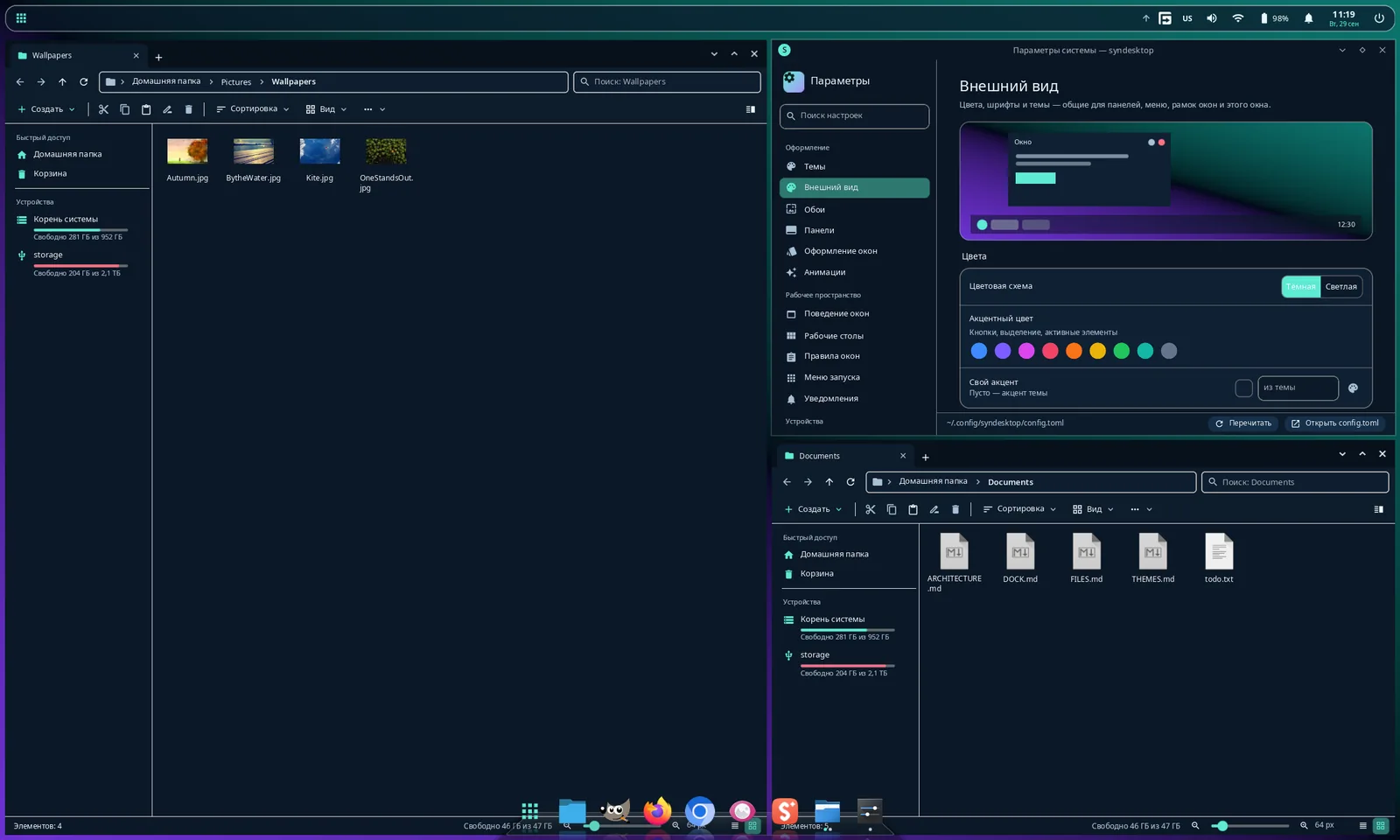
- A file manager in the spirit of Windows 11: tabs in the title bar, two panes, icon / tile / list / table views, thumbnails, background operations with pause and cancel, Ctrl+Z, trash, search and a built-in image viewer (EXIF rotation, HEIC).
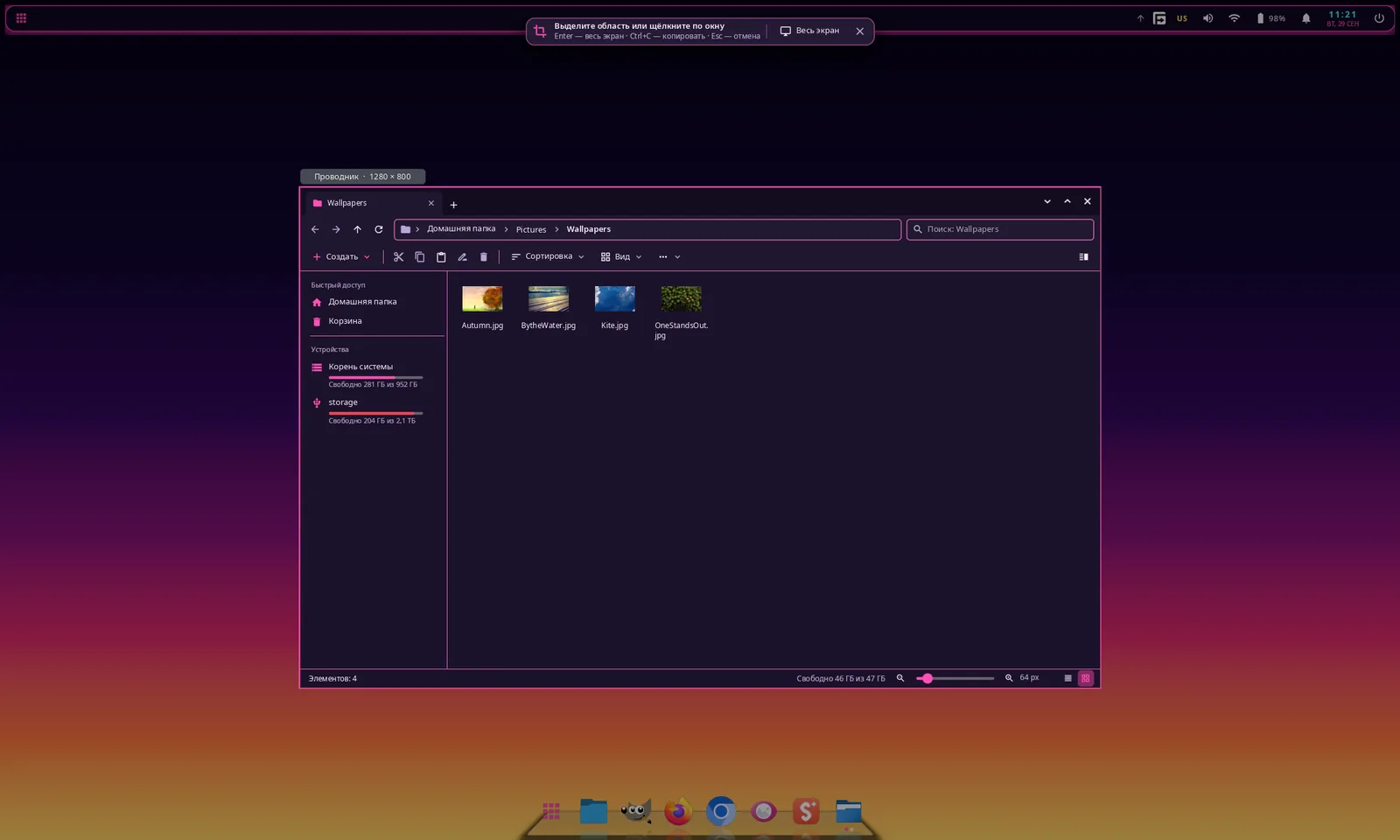
- A screenshot tool: the screen freezes, you drag a region with handles and a magnifier or click a window or monitor, then copy, save, copy the path or open.
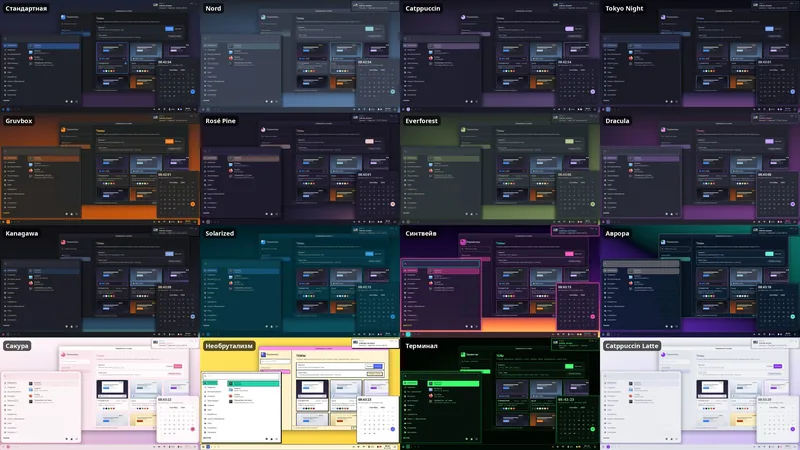
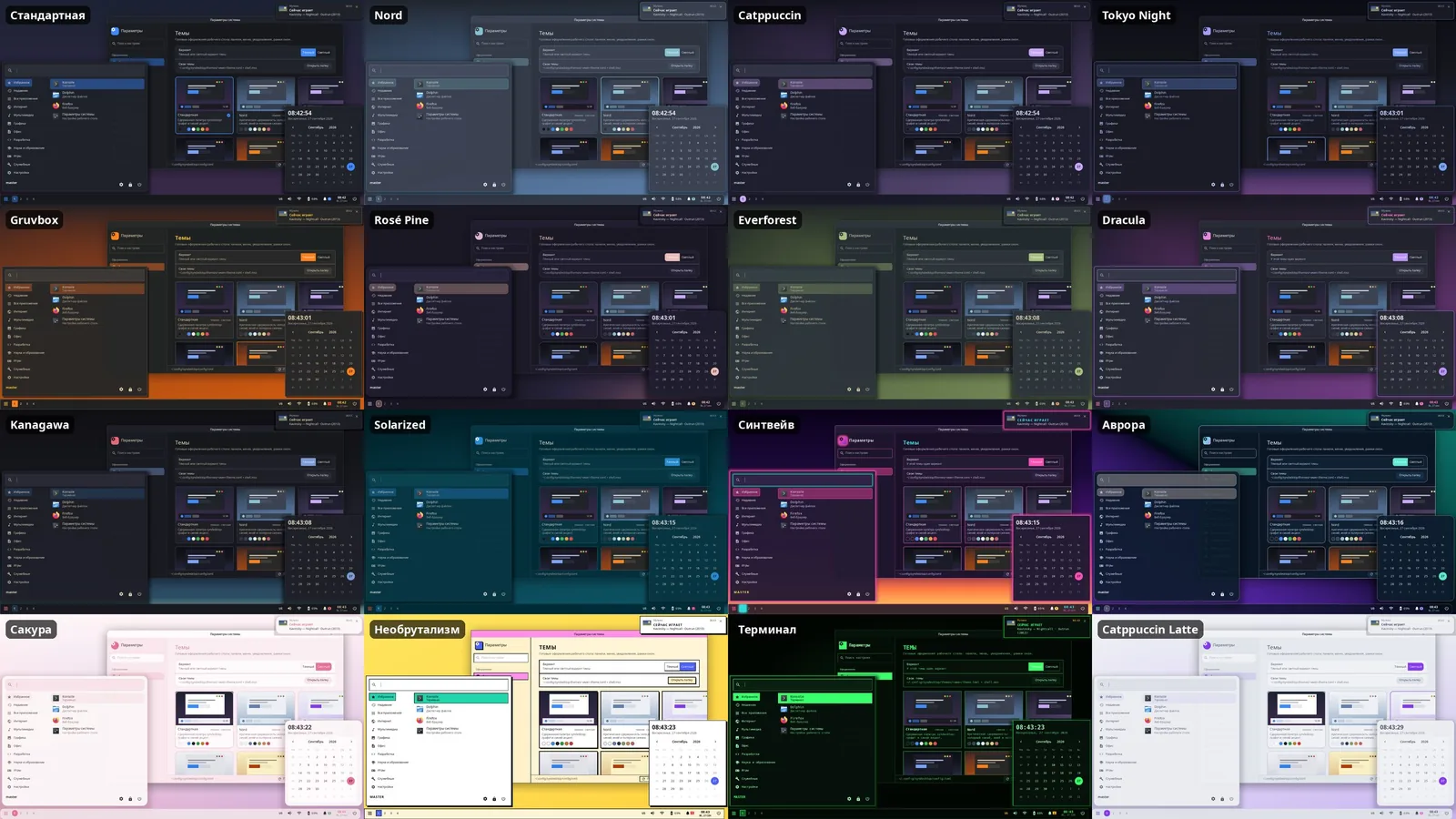
- 14 built-in themes — Nord, Catppuccin, Tokyo Night, Gruvbox, Rosé Pine, Everforest, Dracula, Kanagawa, Solarized and more — plus your own in MSS.
- Scriptable over IPC: syndesktop msg windows, action "workspace 2", restart-shell and more.
Install
cargo build --profile fast-release
target/fast-release/syndesktop --nested   # try it in a window
makepkg -si                              # full session: then pick syndesktop at login
Build from source. The PKGBUILD in the repository installs a real session that you select in your login manager; --nested runs the compositor as a window inside your current session.
Requirements and limitations
- Linux with Wayland; X11 applications run through Xwayland.
- No prebuilt packages or AUR entry yet: build from source with Cargo, with syngui cloned next to it (the PKGBUILD targets Arch Linux).
- An early, single-developer project — expect rough edges; logs go to ~/.local/state/syndesktop/.
Screenshots
- (open full size)
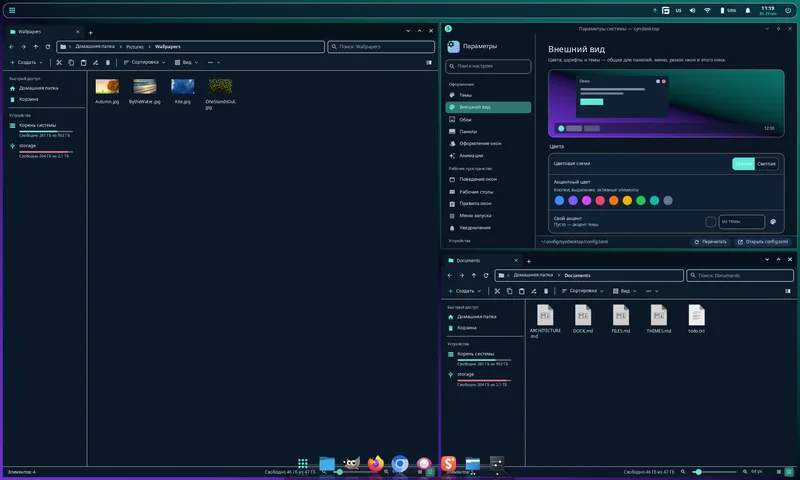
Tile layout: two file manager windows and System Settings side by side - (open full size)
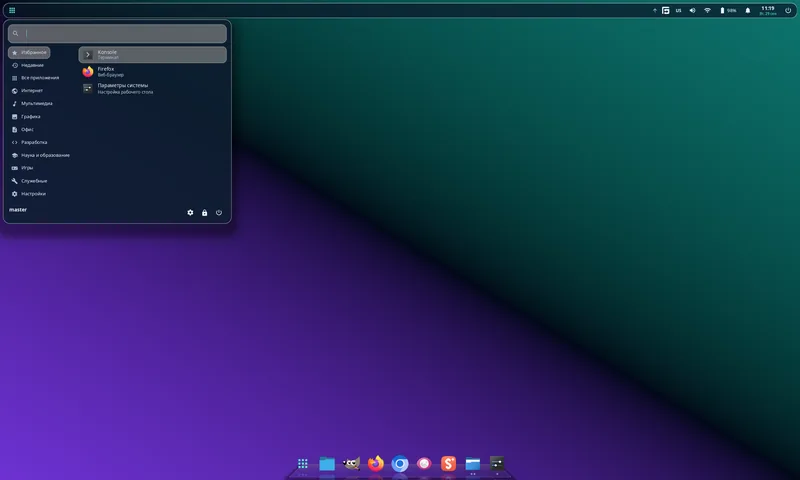
The application launcher - (open full size)
System Settings, themes page; the maximized window turns the top panel into its title bar with a global menu - (open full size)
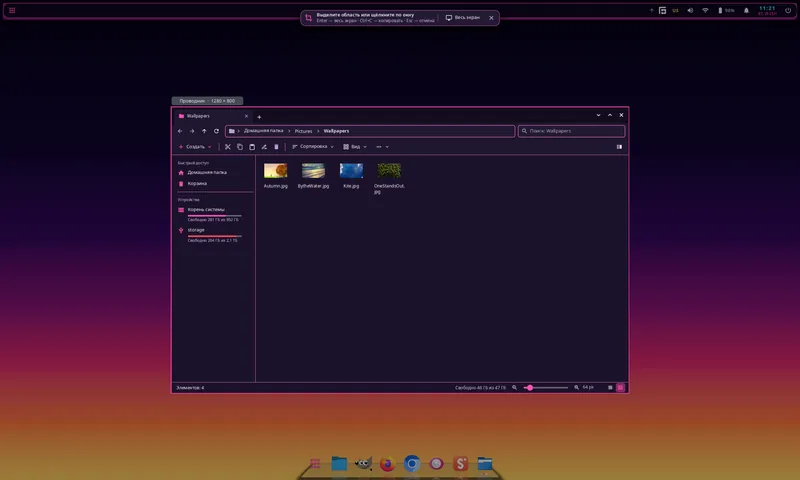
The screenshot tool highlighting a window under the cursor - (open full size)
The same desktop in several of the 14 built-in themes
Vibe-coded with Claude Code
How it is built
The model writes the code; I decide what to build, describe each task and check the result on my own machine. The whole interface — shell, dock, settings, file manager — is drawn with syngui, the same framework as synthos.
Everything here is vibe-coded. github.com/VitaminDB/syndesktop