05 / 06 · Rust · syngui · hidraw
linux-legion
A Linux control centre for Lenovo Legion laptops — what Lenovo Vantage and Legion Space do on Windows: power modes, CPU power limits, fans, per-key Spectrum RGB, battery modes and hardware switches.
- Licence
- MIT
- Platform
- Linux · Lenovo Legion laptops
- Packages
- linux-legion (AUR)
- Status
- Tested on Legion Pro 7 16IAX10H
What it is
linux-legion is written in Rust on syngui. It uses the upstream kernel drivers (lenovo-wmi-gamezone, lenovo-wmi-other, ideapad-laptop) and talks to the RGB controller directly through hidraw — no out-of-tree kernel module, no daemon and no root at runtime.
A udev rule gives the logged-in user access to the RGB controller and makes the sysfs knobs writable for the wheel group. The README also documents the Spectrum protocol, including the Gen 10 quirks found on real hardware, for anyone porting it elsewhere.
Key features
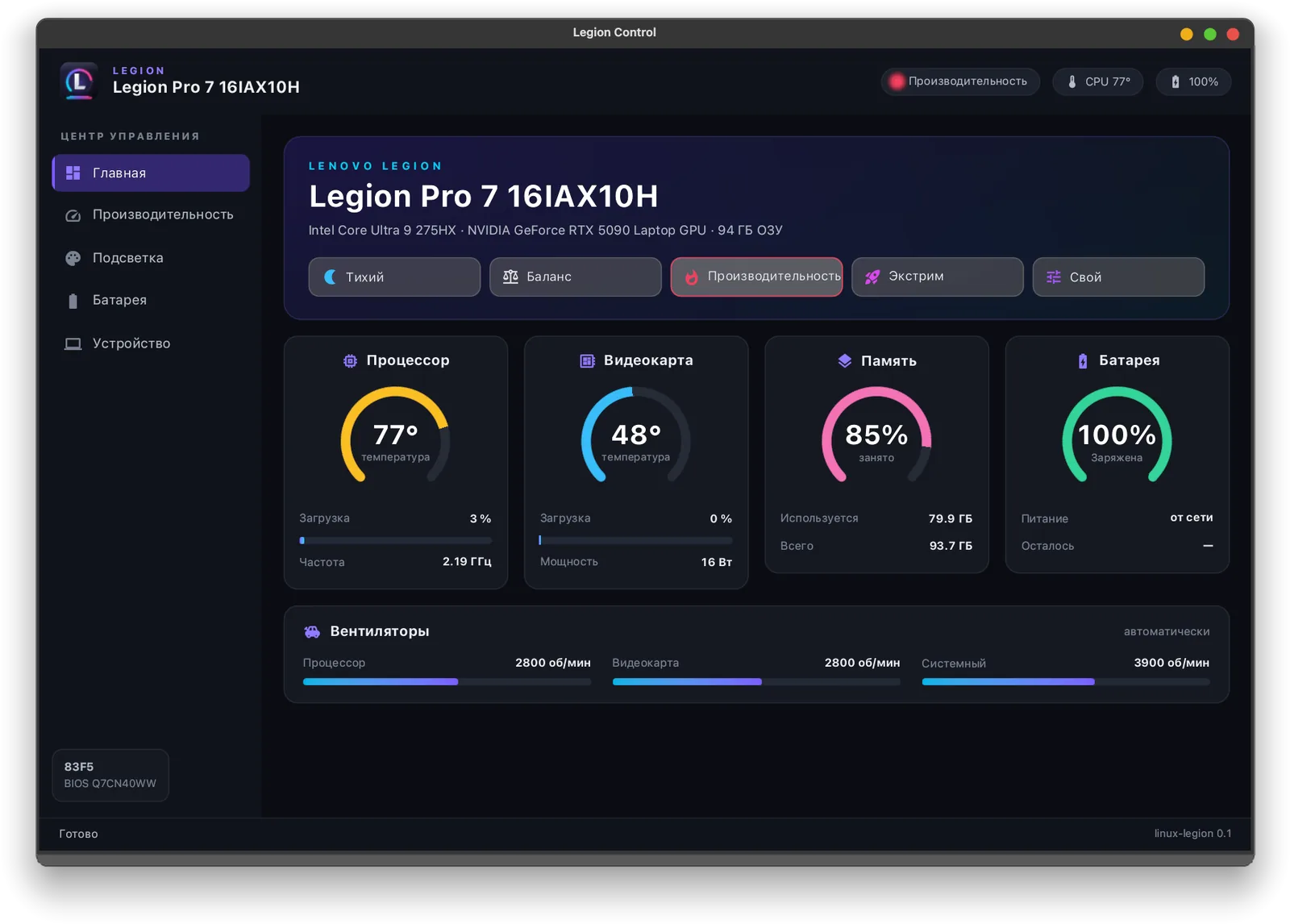
- Home: power mode in one click, live CPU / GPU / memory / battery gauges and fan speeds; the NVIDIA GPU is polled only while it is already awake, so the dashboard never wakes the dGPU.
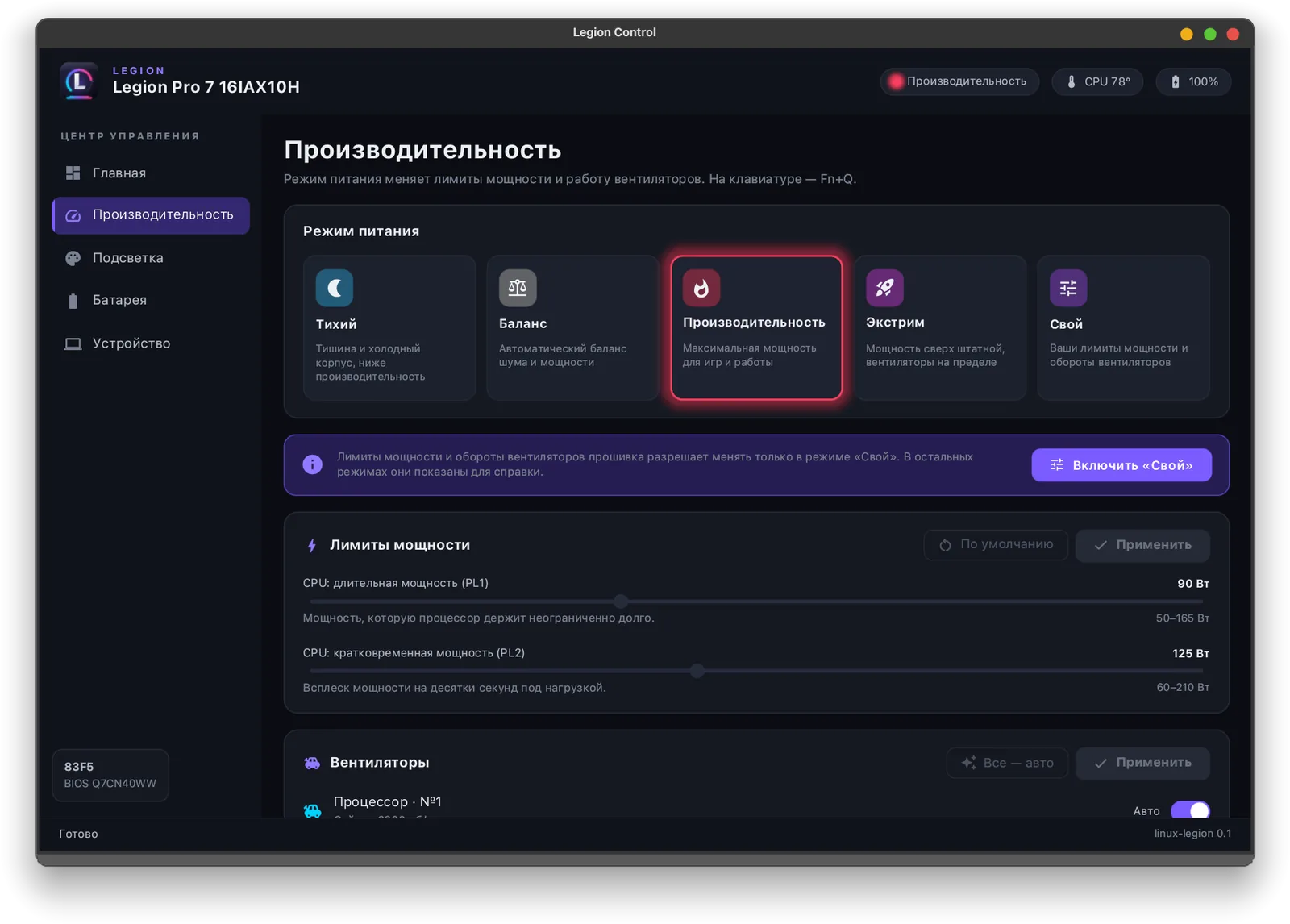
- Performance: Quiet, Balanced, Performance, Extreme and Custom (the same as Fn+Q); in Custom — CPU PL1 / PL2, every other limit the firmware exposes, and manual fan targets.
- Auto-apply: the firmware forgets custom limits after a reboot, so an optional user service restores them at login, when Custom mode is switched on and after resume.
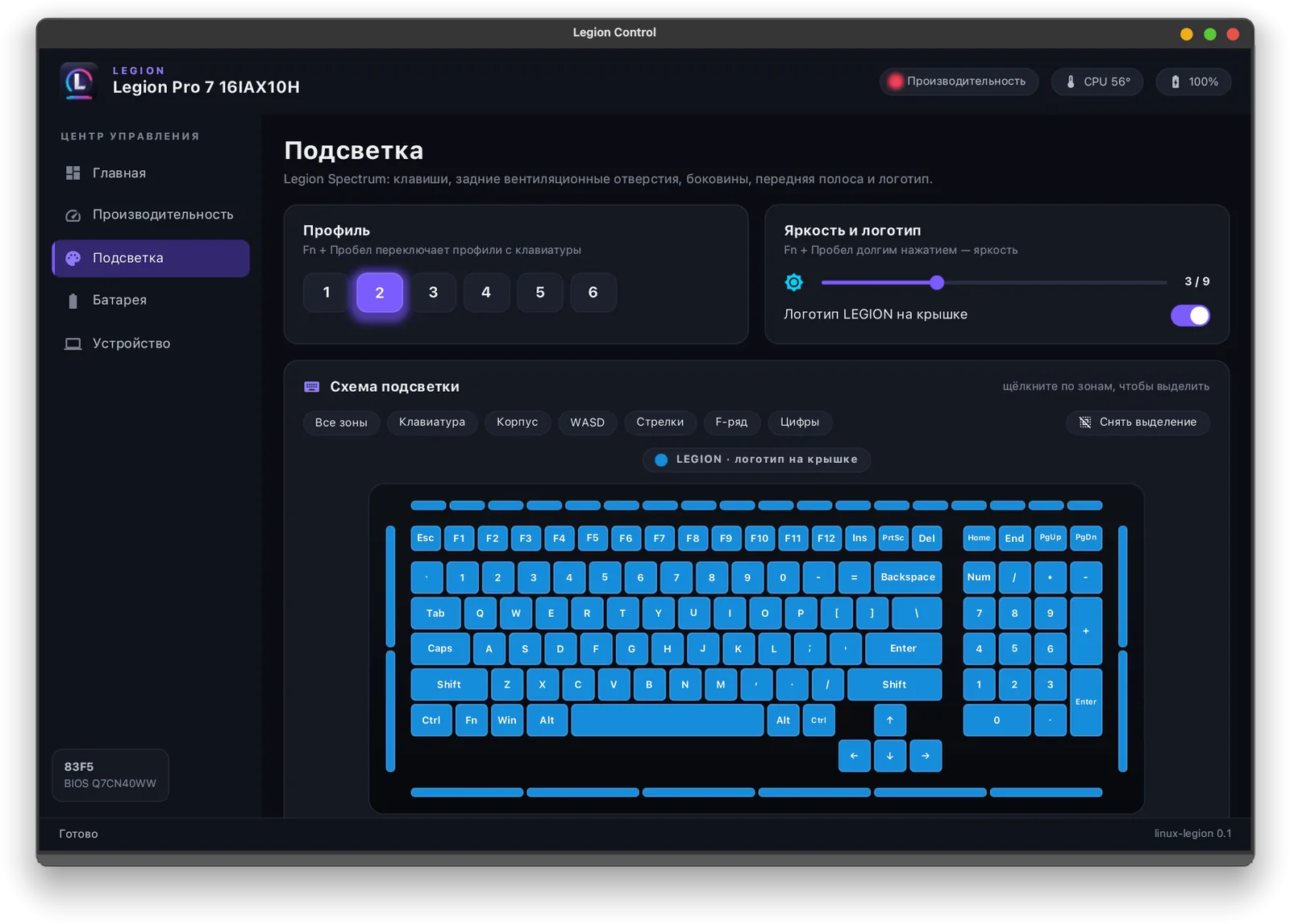
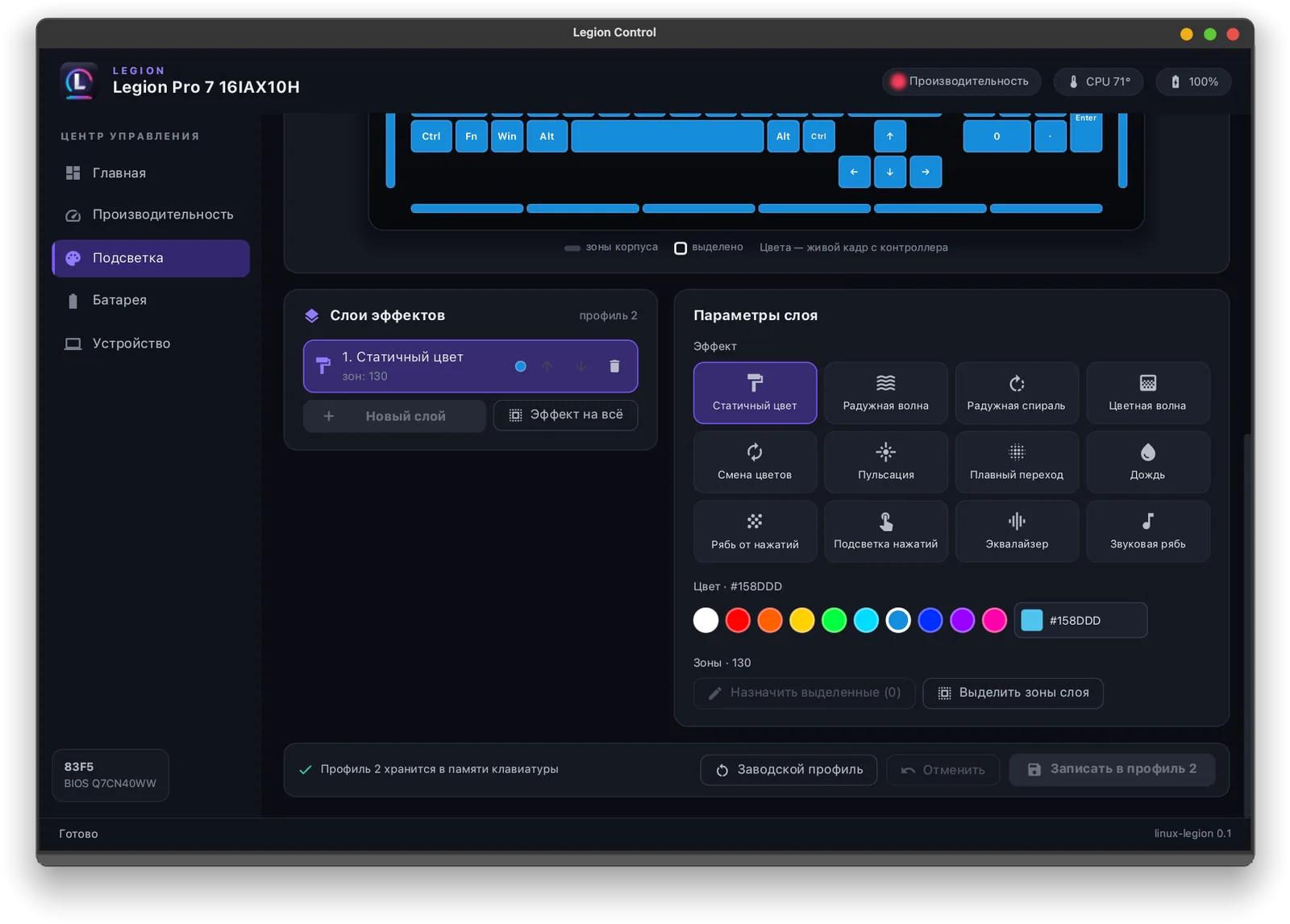
- Spectrum lighting: six hardware profiles, brightness, the LEGION lid logo and a layer editor on a live key map with 12 effects; profiles are stored in the keyboard itself.
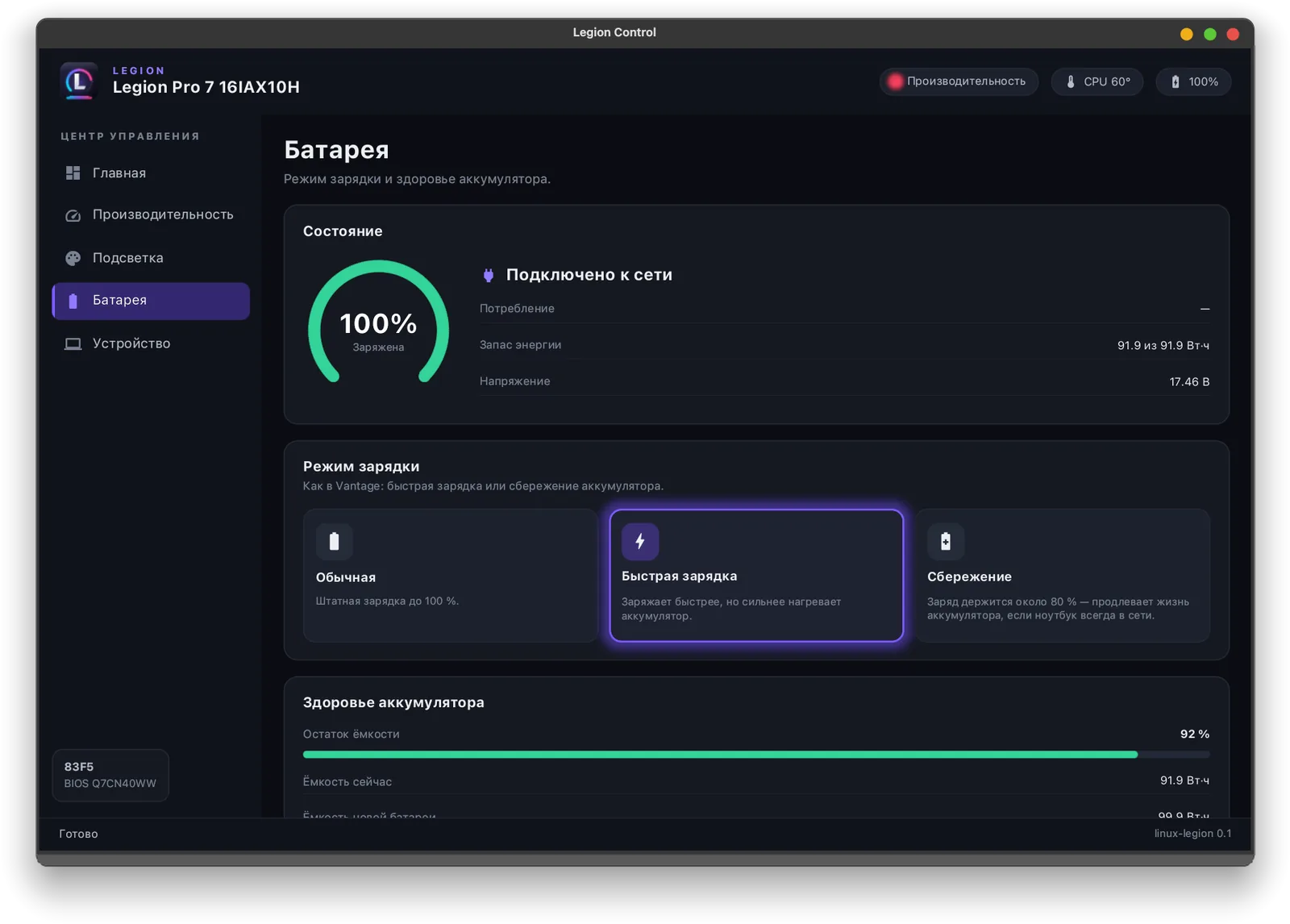
- Battery: Standard, Rapid charge or Conservation (≈80 %), plus charge level and health.
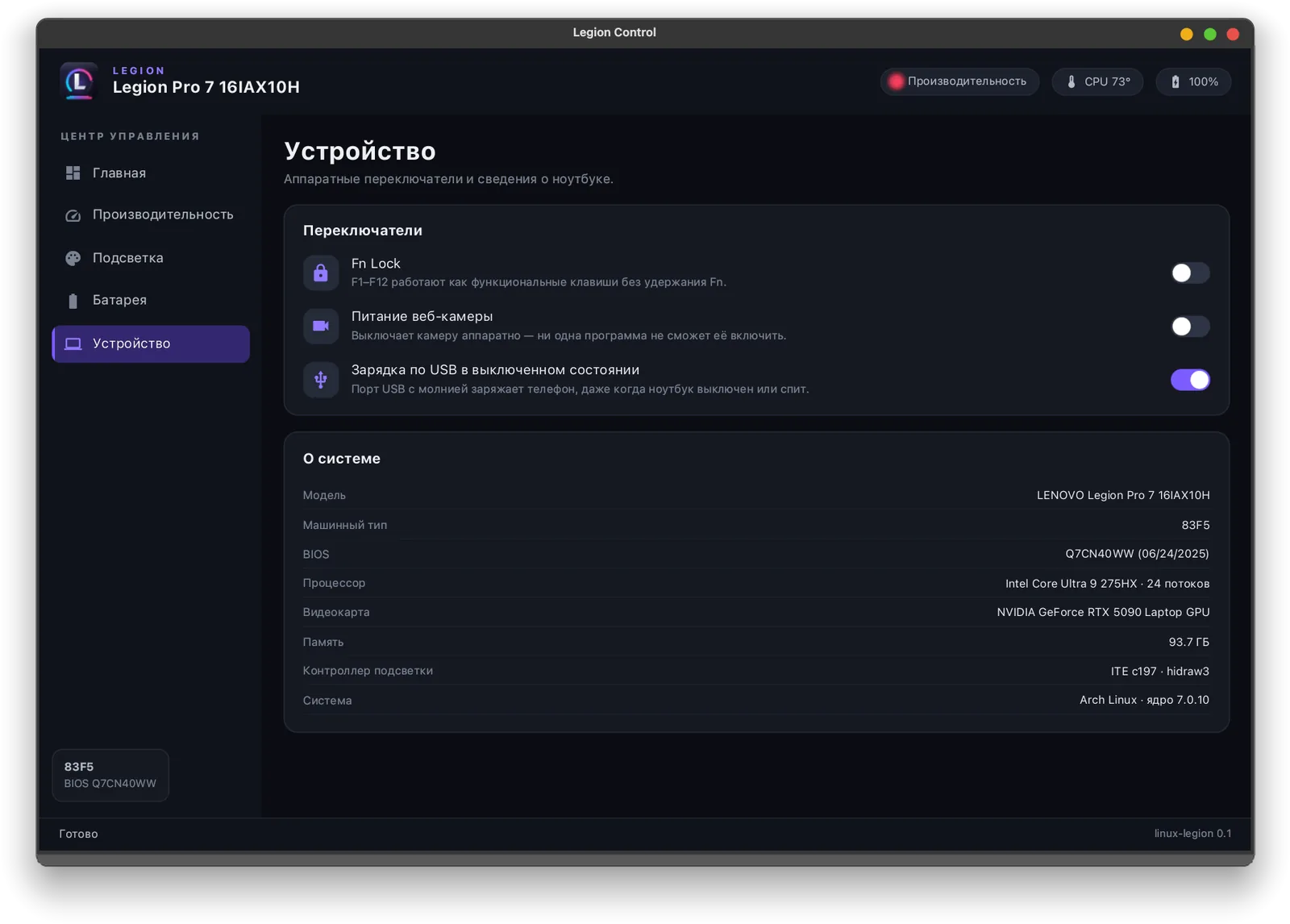
- Device: Fn Lock, camera kill switch, always-on USB charging and system information.
- --simulate shows the whole interface without the hardware; LEGION_TRACE=1 prints every RGB packet.
Install
yay -S linux-legion # or: paru -S linux-legionThe package installs the binary, a menu entry, icons and the udev rule. From source: cargo build --release, then install packaging/70-linux-legion.rules into /etc/udev/rules.d/ and reload udev.
Requirements and limitations
- Developed and tested on one laptop: Legion Pro 7 16IAX10H (83F5, Core Ultra 9 275HX, RTX 5090 Laptop, Spectrum controller 048d:c197), Arch Linux, kernel 7.0.
- Other Legion models with the same kernel interfaces and a Spectrum controller (048d:c1xx / c9xx) should work — every page adapts to what the firmware reports — but are untested.
- The interface is in Russian for now.
- Unofficial and not affiliated with Lenovo. Power limits and fan targets go through the vendor's own firmware interfaces, but you use it at your own risk.
Screenshots
- (open full size)
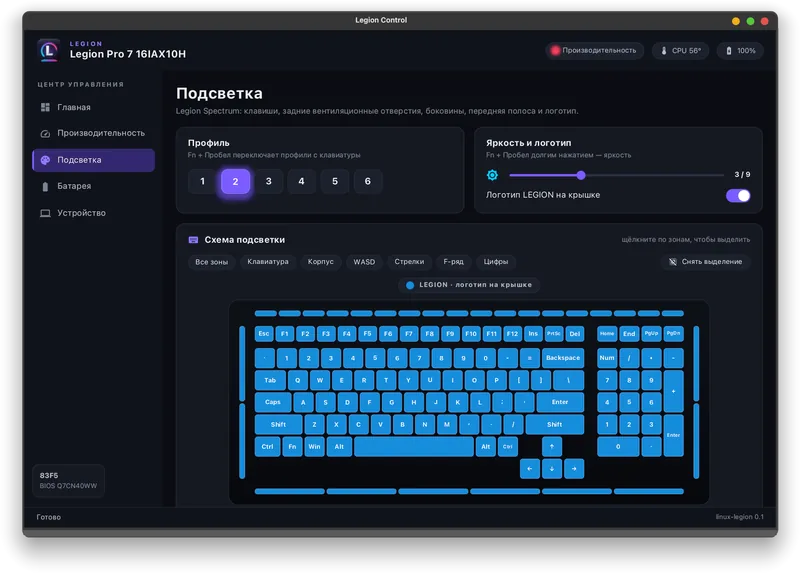
Spectrum lighting — live key map - (open full size)
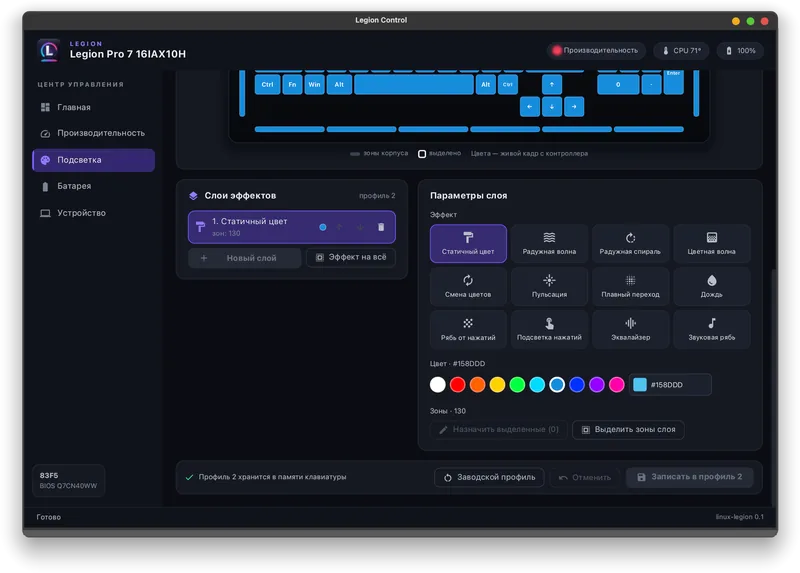
Lighting effect layers - (open full size)
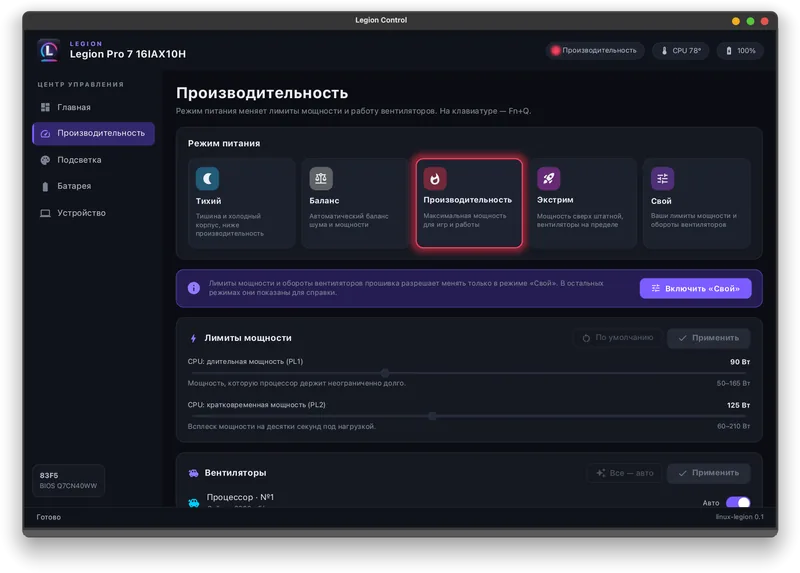
Performance modes, power limits and fans - (open full size)
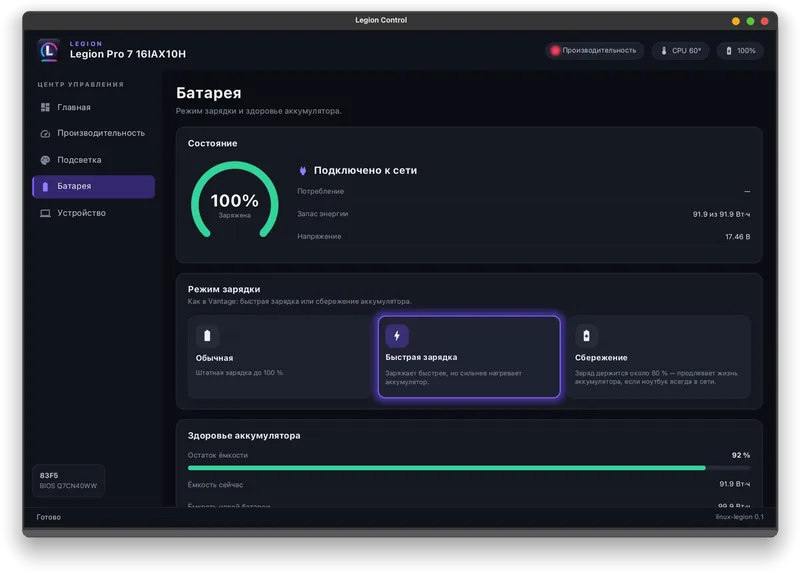
Battery charging modes - (open full size)
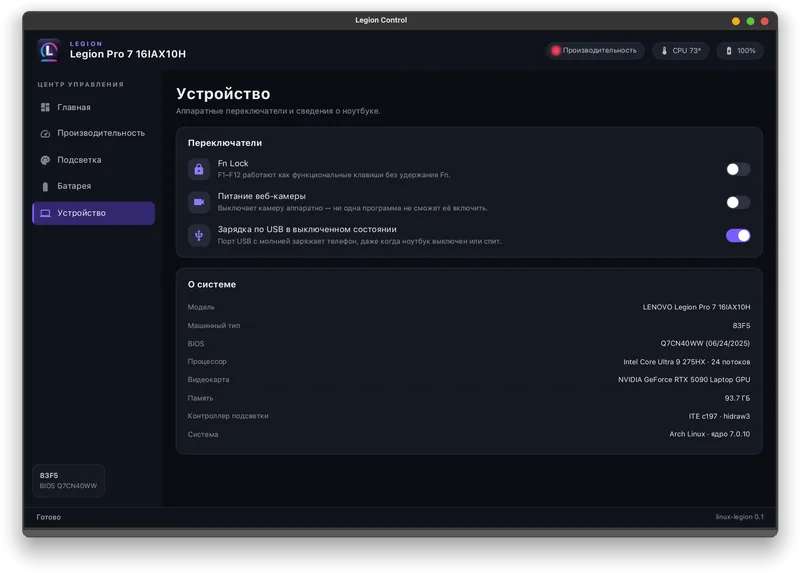
Device switches and system information
Vibe-coded with Claude Code
How it is built
The model writes the code, the tests and most of the documentation. Every packet format was captured from and tested on my own Legion laptop — the live tests write layers to an inactive keyboard profile, read them back and restore the original byte for byte.
Everything here is vibe-coded. github.com/VitaminDB/linux-legion