06 / 06 · Rust · syngui · hidraw
ardor-mouse
A native Linux configuration tool for the ARDOR GAMING Edge Air Ultra wireless mouse — a replacement for the vendor's Windows-only OemDrv.exe.
- Licence
- MIT
- Platform
- Linux · ARDOR GAMING Edge Air Ultra
- Packages
- ardor-mouse (AUR)
- Status
- Tested on Edge Air Ultra
What it is
The vendor ships no Linux software and publishes no protocol. Everything here was reverse-engineered: the Windows utility was disassembled, its USB traffic compared against a live mouse, and every EEPROM field verified on real dumps.
Written in Rust on syngui, it talks to the mouse directly through hidraw — no kernel module, no daemon, no root. Settings are read from the mouse's own memory and only the changed regions are written back, so the tool never overwrites what it does not understand.
Key features
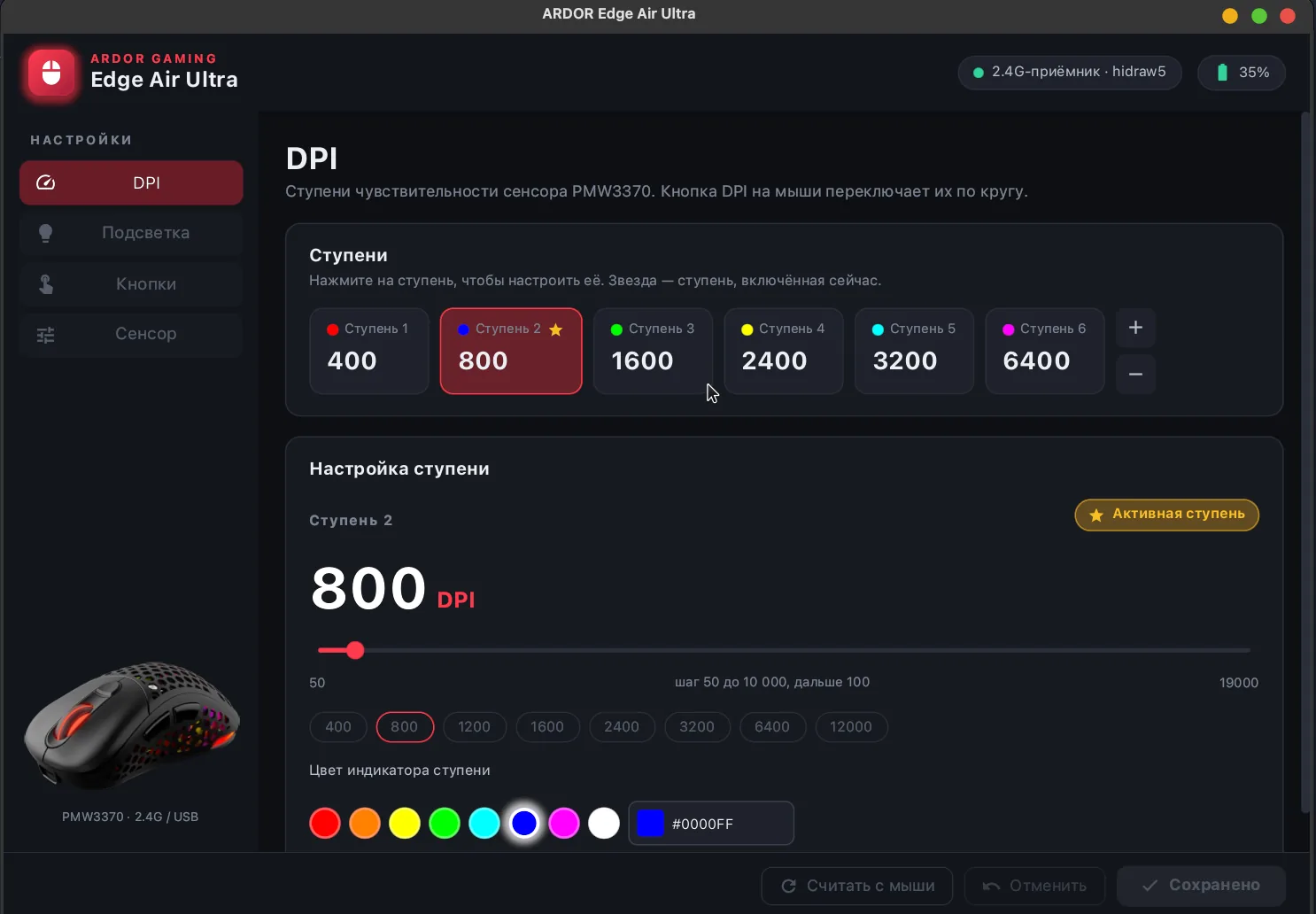
- DPI: up to 8 stages from 50 to 19 000 DPI, each with its own indicator colour; choose the active stage.
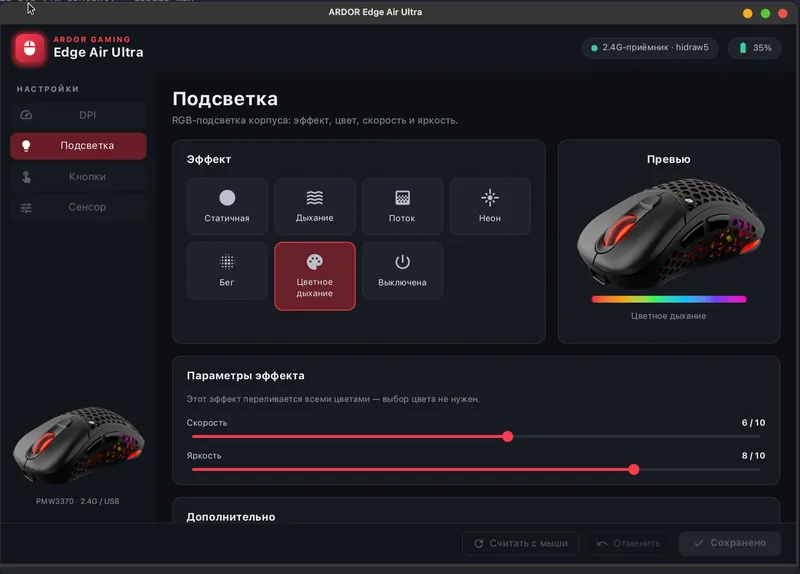
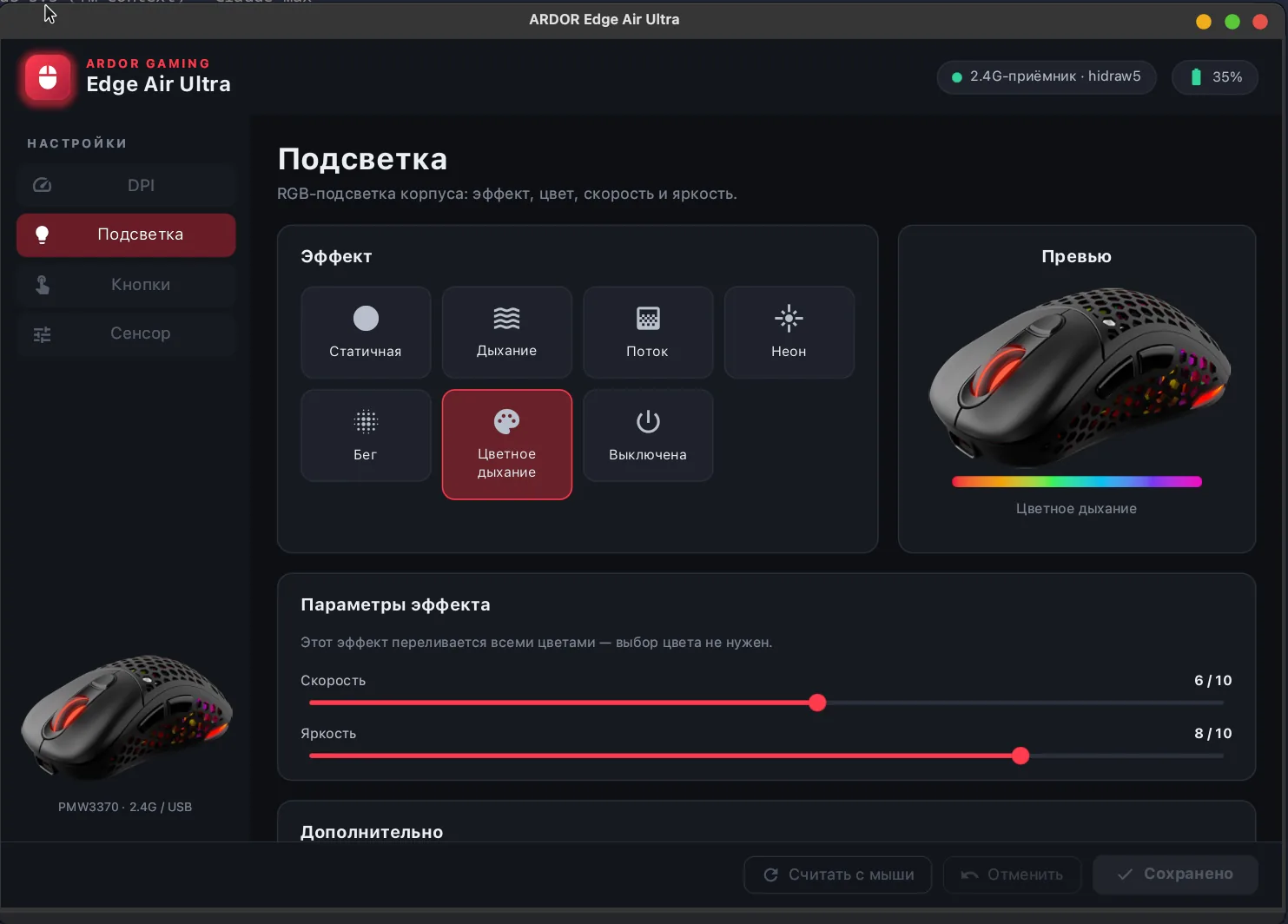
- RGB lighting: static, breathing, flow, neon, marquee, colour breathing or off — with colour, speed, brightness and a live preview.
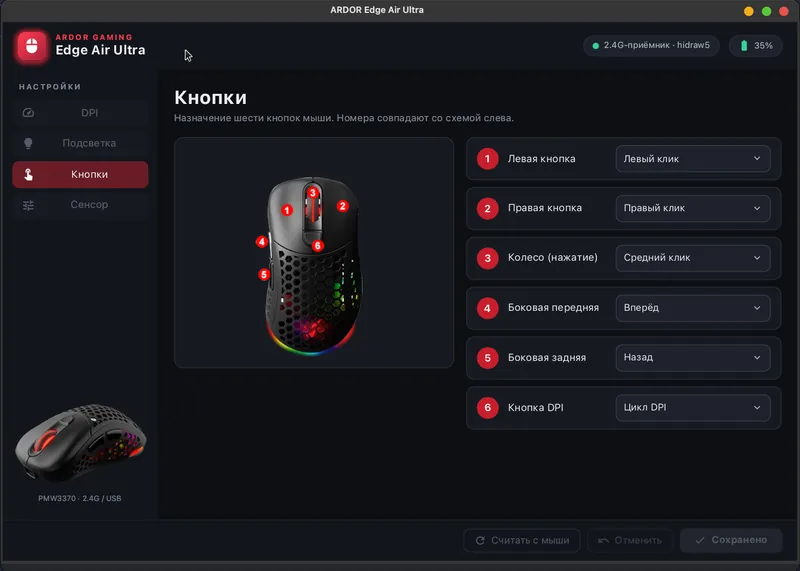
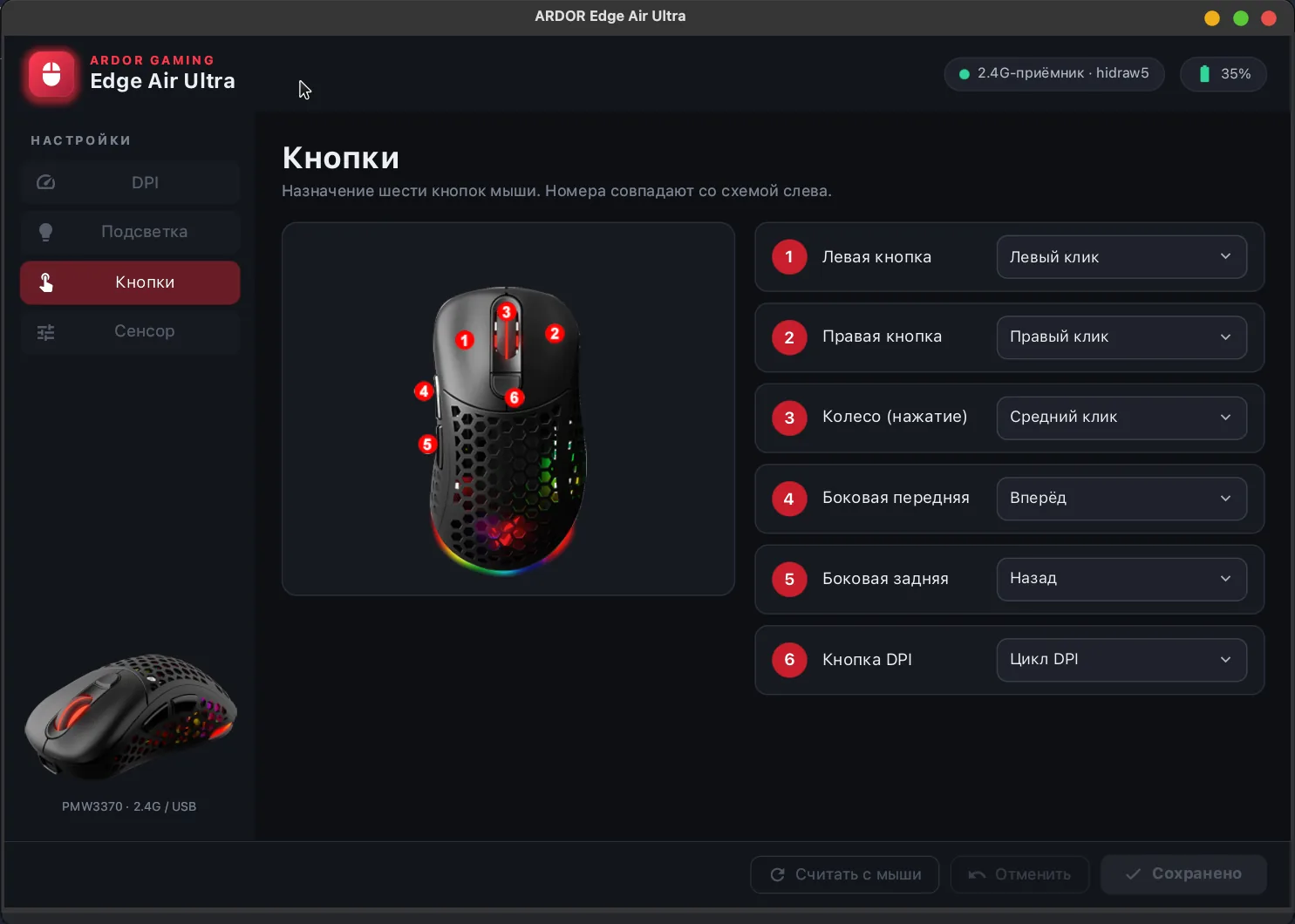
- Buttons: remap all 6 — clicks, back / forward, DPI cycle / up / down, or disable.
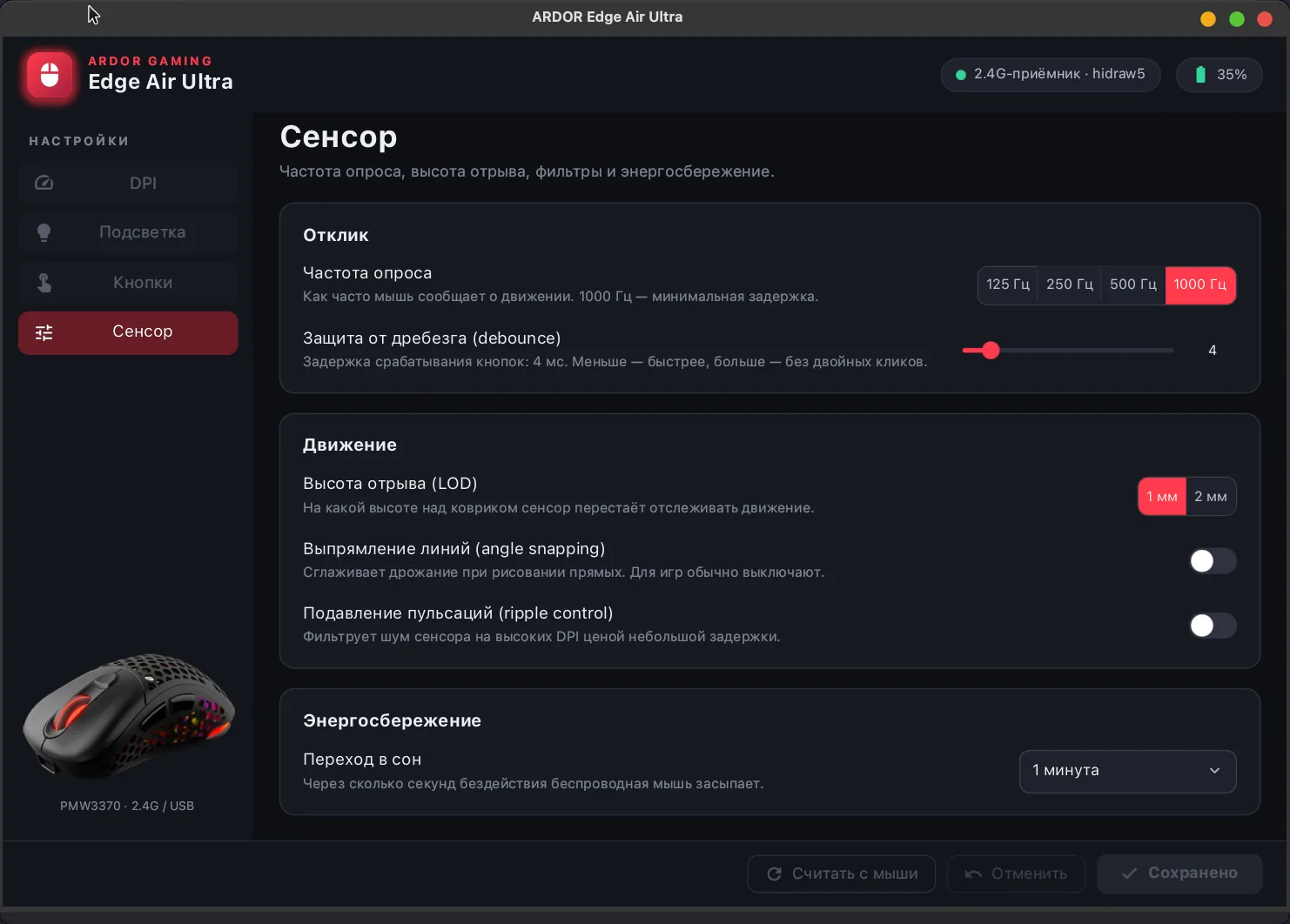
- Sensor: polling rate 125 / 250 / 500 / 1000 Hz, lift-off distance 1 / 2 mm, debounce, angle snapping, ripple control, sleep timeout.
- Battery level and charging state.
- --simulate runs the app with a simulated mouse; ARDOR_TRACE=1 prints every packet exchanged with the mouse.
- The protocol and the EEPROM map are documented for anyone porting it to another tool or another mouse on the same controller.
Install
yay -S ardor-mouse # or: paru -S ardor-mouseThe package installs the binary, a menu entry, icons and a udev rule that gives the logged-in user access to the mouse; replug the receiver once if it was already plugged in. From source: cargo build --release plus the udev rule from packaging/.
Requirements and limitations
- Tested only with the Edge Air Ultra: 2.4 GHz receiver 25a7:fa7c and USB cable 25a7:fa7b (PixArt PMW3370 sensor, JM03 controller). Other mice on the same controller may speak the same protocol.
- If the mouse is asleep the receiver answers but its memory is unreachable — move the mouse and the settings load by themselves.
- The interface is in Russian for now.
- Unofficial and not affiliated with ARDOR GAMING. EEPROM writes are done the way the vendor utility does them, but at your own risk.
Screenshots
- (open full size)
RGB lighting effects with a live preview - (open full size)
Remapping the six buttons - (open full size)
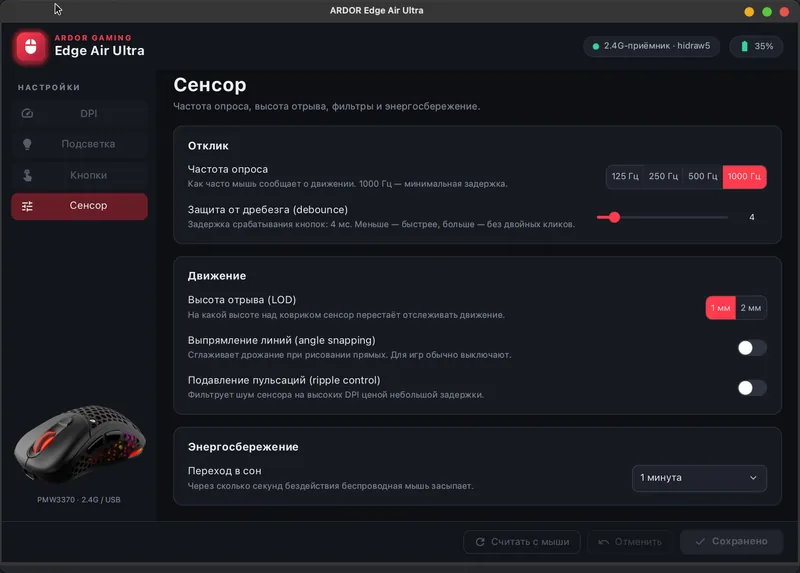
Sensor: polling rate, lift-off distance, debounce
Vibe-coded with Claude Code
How it is built
The model writes the code, the tests and most of the documentation. The protocol was reverse-engineered from and tested on my own mouse; the tests decode packets and EEPROM dumps captured from it.
Everything here is vibe-coded. github.com/VitaminDB/ardor-mouse