· synshell
synshell: several internet connections at once
Wi-Fi, cable and a phone over USB together: one primary link with fallback or all links at once, and a choice for each application.
synshell has a new service, synnetd. It lets Wi-Fi, cable and a phone over USB work at the same time instead of one replacing another. It is set up in System Settings → Internet connections.
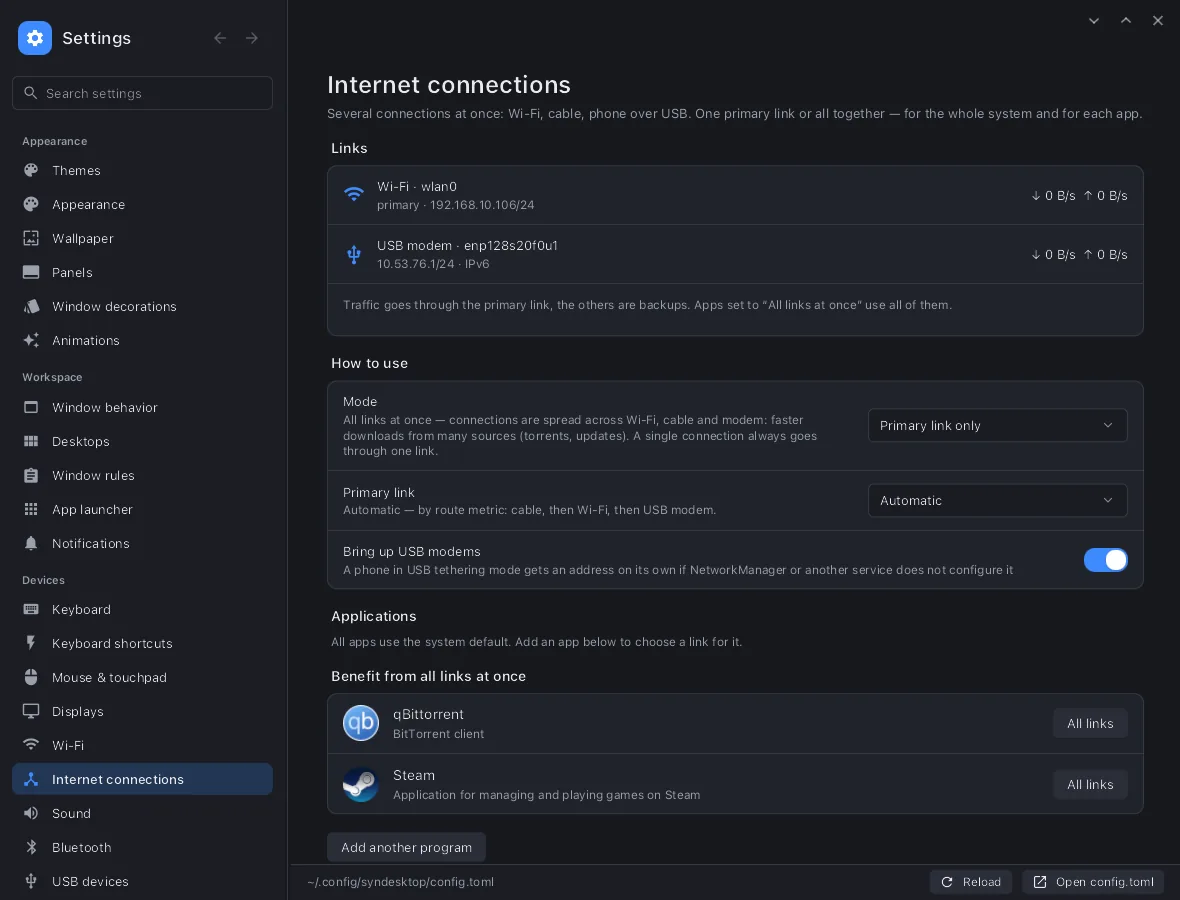
Two modes
- Primary link only (the default): all traffic goes through one link, the others are backups. If the primary one drops, everything moves to the next. The primary link is picked automatically (cable, then Wi-Fi, then USB modem) or by hand.
- All links at once: connections are spread across the links, so torrents, updates and Steam downloads from many sources use all of them. A single connection always stays on one link.
A choice for each application
Each application can have its own setting regardless of the system mode: for example, a torrent client over all links, while the browser and calls stay on Wi-Fi. Settings suggests the programs that benefit most — qBittorrent, Transmission, Steam. Under the hood the program's processes go into their own cgroup with a tiny BPF program that marks every new socket, so the route is chosen at connect() time without races.
Phone as a USB modem
An Android phone or an iPhone in USB tethering mode is brought up by the service itself, with its own DHCP client — NetworkManager is not needed. If something else already configures the interface, synnetd leaves it alone.
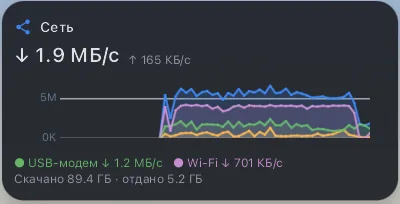
Safe by design
- The system routing table is never changed: the service keeps its routes in separate tables and rules. Stop it, and the system works as if it had never been there.
- With only one link connected, it adds no rules at all; when a VPN is on, it steps aside.
How to turn it on
- sudo systemctl enable --now synnetd — the service ships in the synshell-core package.
- Command line: synnetd status, synnetd mode primary|both, synnetd primary <interface>|auto, synnetd app <name> primary|both|system.
- Details: docs/NETD.md in the synshell repository.