Features
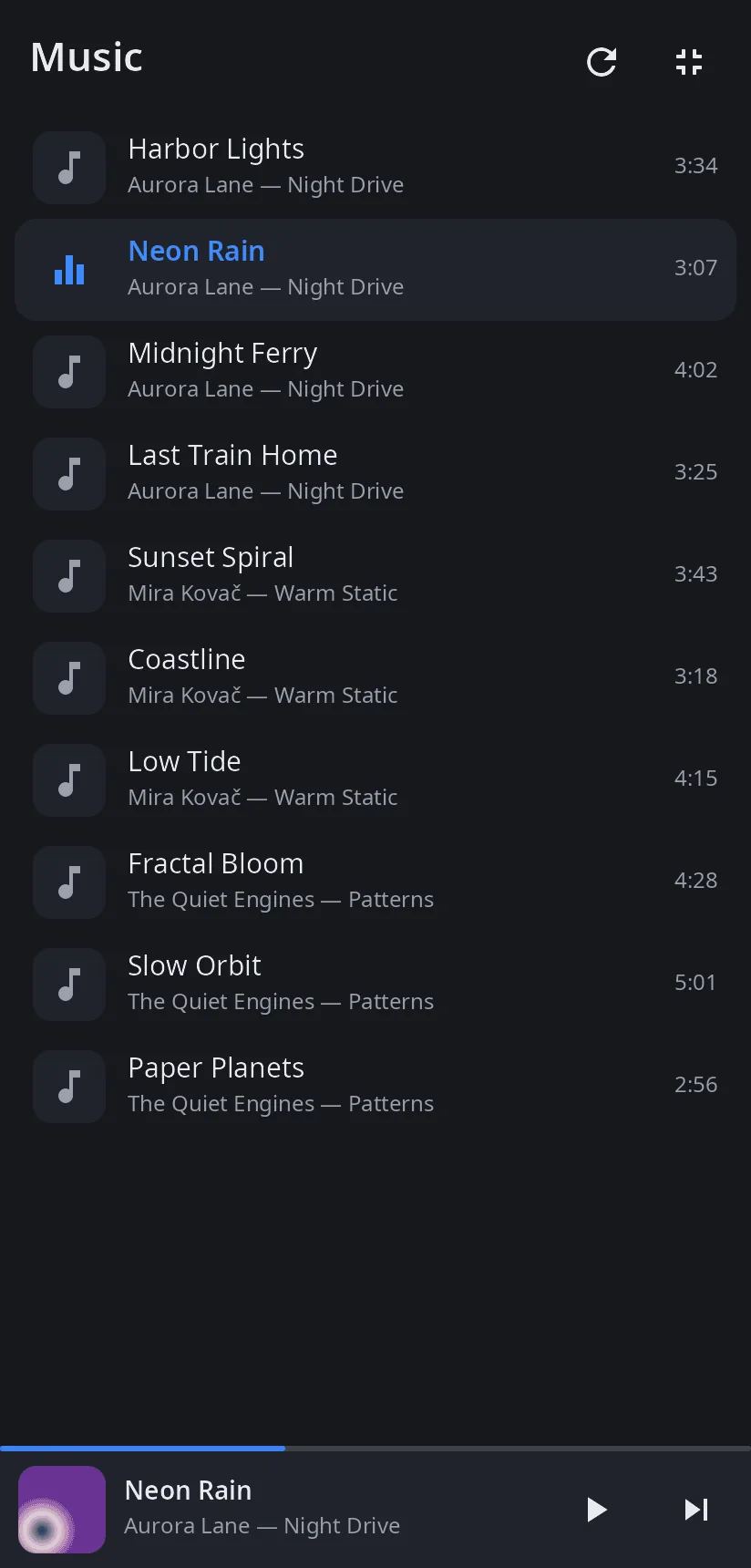
- Library — audio files from Music (
XDG_MUSIC_DIR, six levels deep) and Downloads (two levels), sorted by artist, album and track number; tags and durations are read in the background. - Formats — whatever ffmpeg plays: MP3, FLAC, Ogg/Opus, M4A/AAC, WAV, AIFF, WMA, APE, WavPack, DSD, MIDI, tracker modules and more.
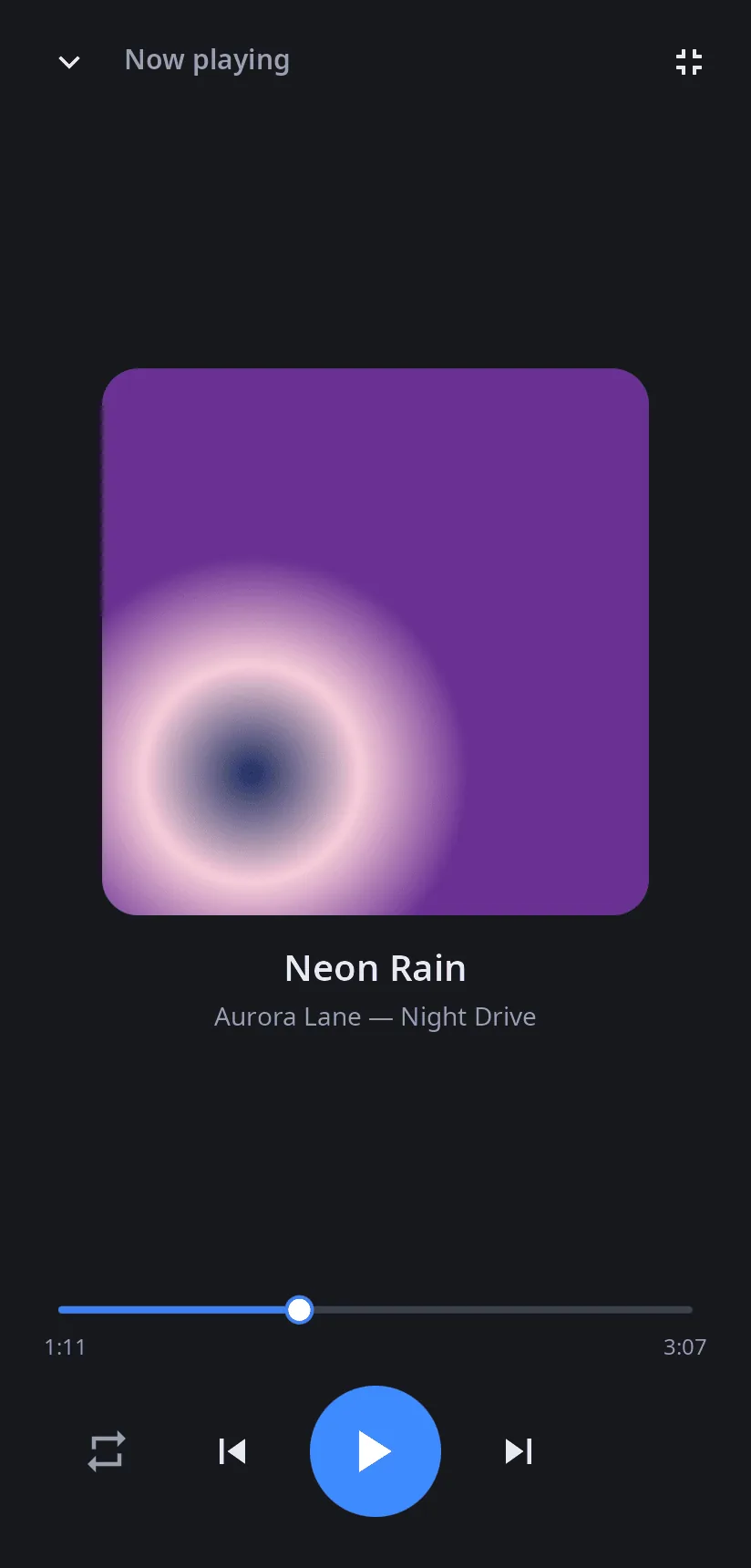
- Now playing — album cover from the file, title, artist and album, seek bar, previous/next, repeat (off, all, one).
- Queue — the library order, or the files given on the command line; the next track starts when one ends.
- Mini player — at the bottom of the library: cover, progress, play/pause and next.
- Computer and phone — the same window fits a monitor and a phone screen; 14 languages.
| Now playing | Phone: library | Phone: now playing |
|---|---|---|
 |
 |
 |
Install
Arch Linux (AUR) — x86_64 and aarch64:
yay -S syn-audio-player-bin      # prebuilt
yay -S syn-audio-player-git      # built from source
Depends on synshell-core and ffmpeg. Part of the synshell metapackage: yay -S synshell-bin installs the whole desktop. From source: cargo build --release -p syn-audio-player in the synshell repository.
Command line
syn-audio-player                         # library
syn-audio-player song.flac other.mp3     # these files as the queue, the first one plays
syn-audio-player --screenshot shot.png --size 1400x900 --page player
                                         # window snapshot without sound (pages: library, player)
Part of synshell
syn-audio-player is one of the applications of synshell — a Wayland desktop environment in Rust for computers and phones, built on the syngui UI framework.
License
GPL-3.0-only