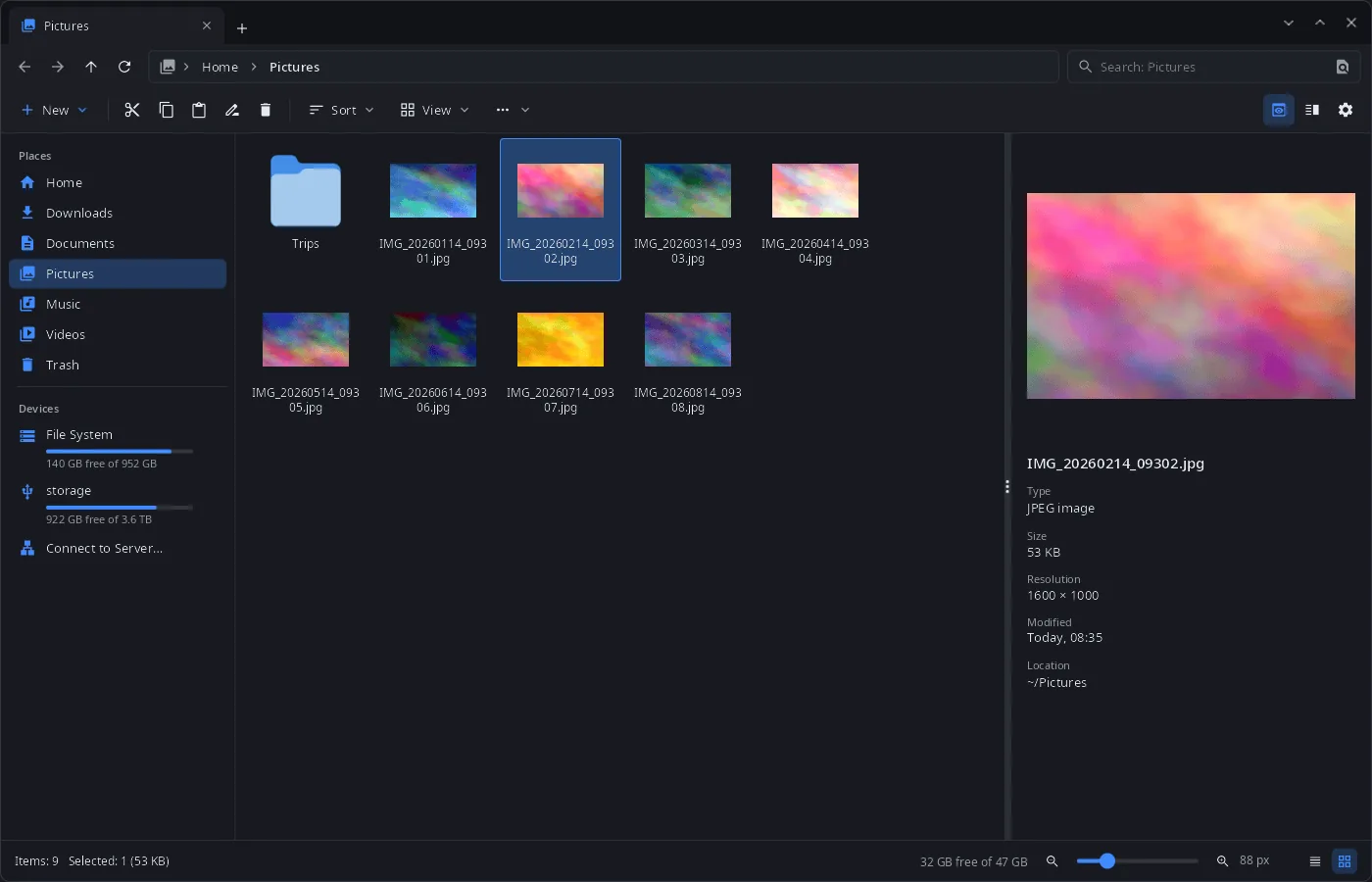
Features
- Tabs and two panes — tabs in the title bar, a second pane with F3; the tabs of the last session come back on start.
- Four views — icons, tiles, list and details, icon size from a slider; thumbnails of images and videos (HEIC/AVIF too).
- Preview panel (F11) — a large preview with type, size, resolution, date and location.
- Archives as folders — zip, 7z, rar, tar.* and others open like a folder (read-only), including nested ones and password-protected archives; “Extract” in the archive bar.
- File operations in the background — progress, pause and cancel, a question on name conflicts, Ctrl+Z undoes the last operation; trash per the freedesktop spec, including trash on other drives.
- Batch rename — by template (
{name},{ext},{n}), text or regex replacement, case change, with a preview; one Ctrl+Z undoes it. - Search by name or by file contents, nearest results first.
- Tags and ratings in extended attributes, compatible with Dolphin.
- Git status of files and folders inside a repository.
- Folder sizes counted in the background.
- Drives and devices — USB drives and partitions (udisks), Android phones (MTP), cameras (PTP), iPhone, files of devices linked with synlink.
- Network locations — “Connect to Server…”: SFTP, SMB, FTP, WebDAV, NFS via gvfs, with password and host-key prompts.
- Terminal panel (F12) in the open folder.
- Image viewer —
synfiles --viewer: zoom to the cursor, a thumbnail strip, all images of the folder, EXIF rotation, move to trash, “Open with”. - File chooser for the synshell portal — “Open” and “Save” dialogs of other programs.
- Phone layout with touch control.
- 14 languages — the UI follows the system or the language chosen in settings.
| Icons | Two panes, archive as a folder |
|---|---|
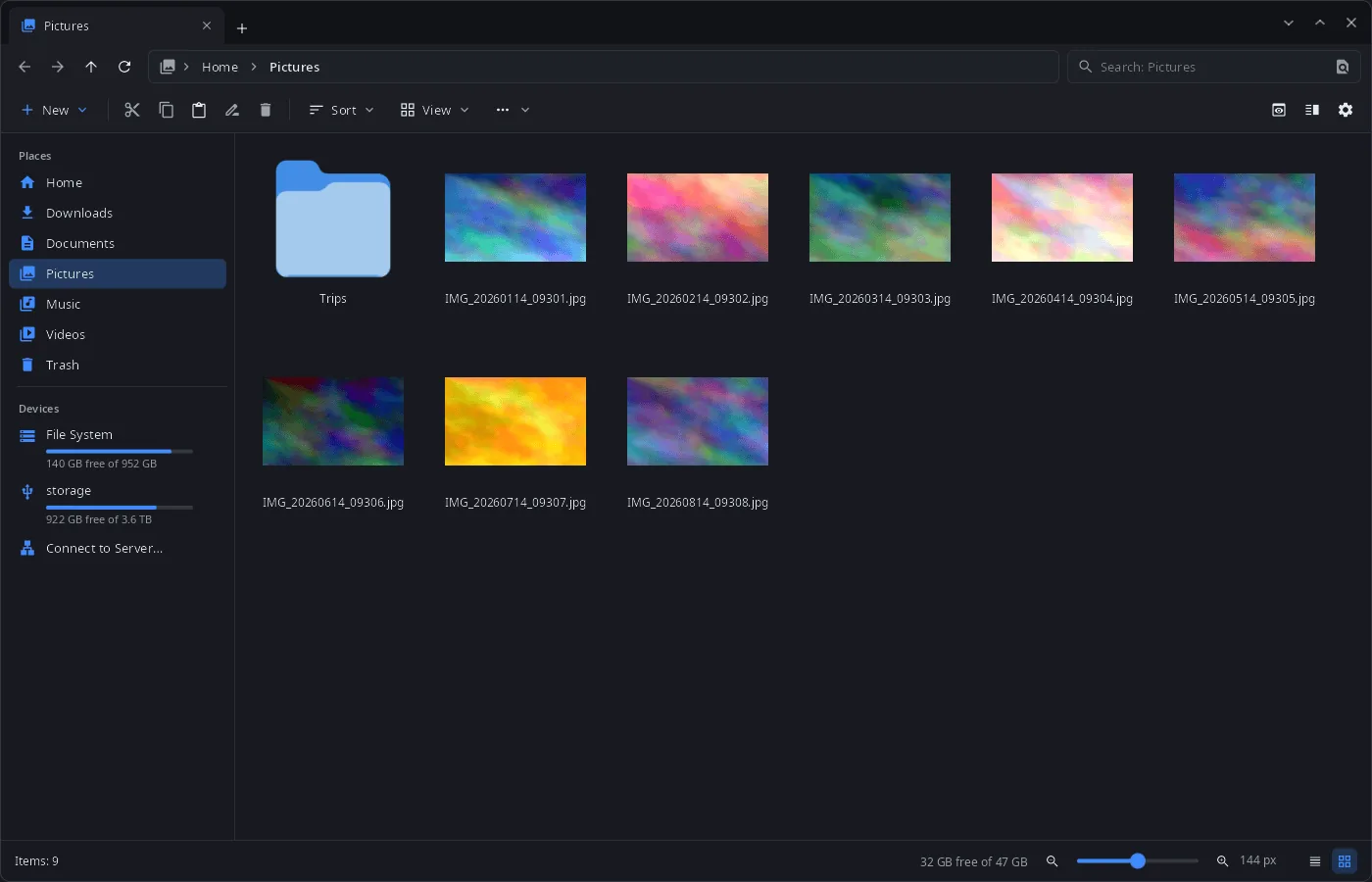 |
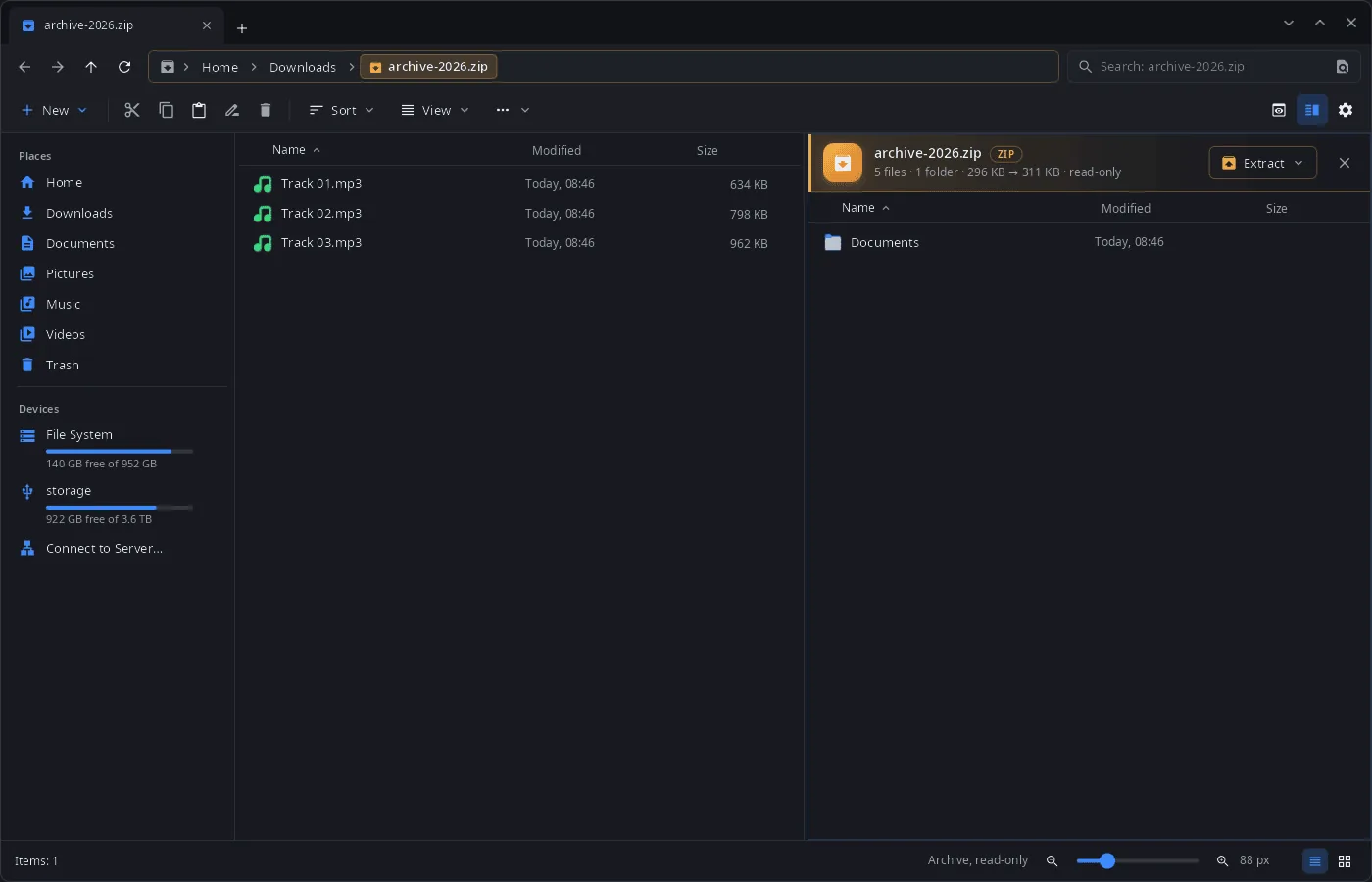 |
Install
Arch Linux (AUR) — x86_64 and aarch64. synfiles is part of synshell-core, the base set of desktop programs (compositor, shell, settings, file manager, terminal, software center, screenshots):
yay -S synshell-core-bin      # prebuilt
yay -S synshell-core-git      # built from source
Optional: shared-mime-info (file types), ffmpegthumbnailer (video thumbnails), libheif (HEIC/HEIF/AVIF), imagemagick (rare image formats in the viewer), udisks2 (USB drives and disks), gvfs-mtp / gvfs-gphoto2 / gvfs-afc (Android phones, cameras, iPhone), gvfs-smb (Windows and Samba shares), git (git status), fuse3 (archives as folders), breeze-icons (default icon theme).
The whole desktop: yay -S synshell-bin. From source: cargo build --release -p syn-files in the synshell repository.
Command line
synfiles                                  # tabs of the last session, or the home folder
synfiles ~/Documents ~/Downloads          # each folder in its own tab
synfiles ~/Downloads/photos.zip           # an archive as a folder
synfiles trash:/                          # the trash
synfiles --select ~/Pictures/cat.jpg      # show a file in its folder
synfiles --view details --split ~/a ~/b   # view mode and two panes
synfiles --viewer ~/Pictures/cat.jpg      # image viewer
Part of synshell
synfiles is one of the applications of synshell — a Wayland desktop environment in Rust for computers and phones, built on the syngui UI framework.
License
GPL-3.0-only