Features
- Frozen screen — on Print the compositor (synwm) captures all monitors at once, so menus and tooltips stay in the picture.
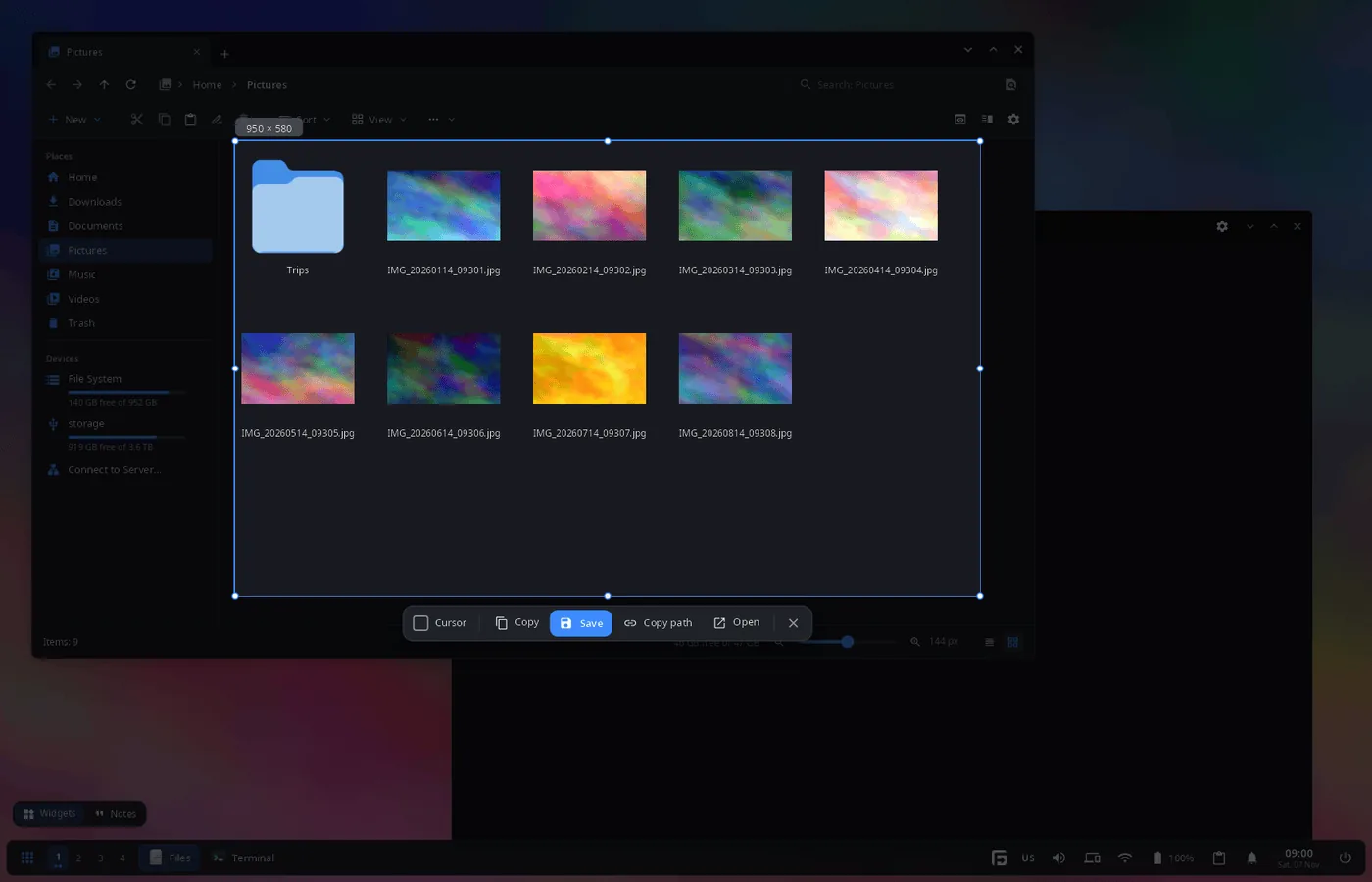
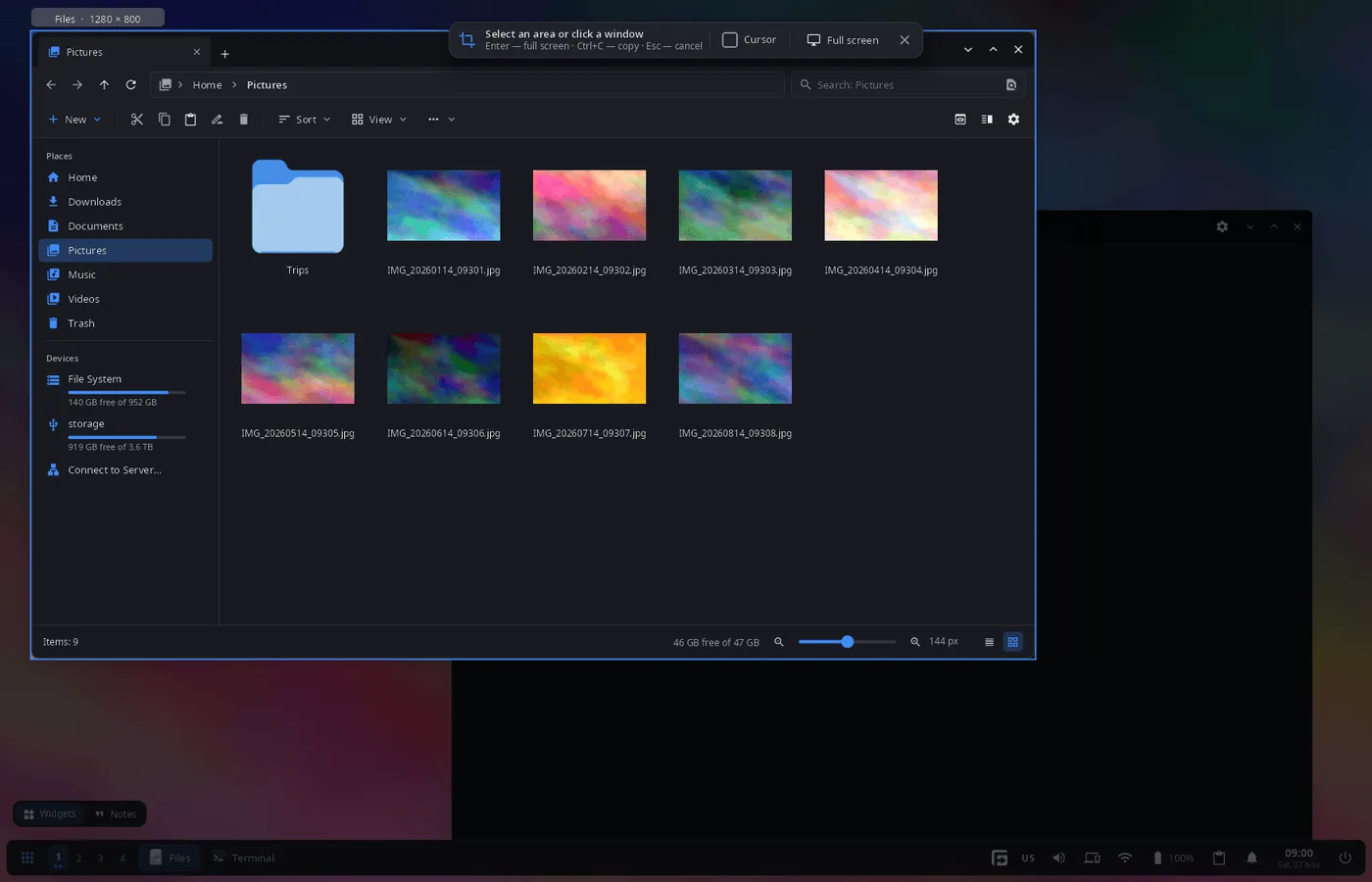
- Area, window or monitor — drag a frame; or click: the window under the pointer is taken, or the whole monitor if there is no window. The candidate is highlighted with its name and size before the click.
- Precise selection — handles, moving the frame, size in pixels, a magnifier at the pointer; arrow keys move the frame by 1 px (Ctrl — by 10 px), Shift+arrows change its size.
- Actions — Copy (image to the clipboard), Save (PNG to the screenshots folder), Copy path, Open (in the default program); the shell shows a notification.
- Keyboard — Enter or Ctrl+S save (without a selection — the whole screen), Ctrl+C copy, Ctrl+Shift+C copy the path, Ctrl+O open, Ctrl+A the monitor under the pointer, Ctrl+Shift+A all monitors, Esc cancels.
- Pointer — the “Cursor” checkbox adds the mouse pointer to the picture.
- Several monitors — one overlay per monitor, the selection can span them.
- 14 languages — the UI follows the system or the language chosen in settings.
| Window under the pointer |
|---|
 |
Install
Arch Linux (AUR) — x86_64 and aarch64. synshot is part of synshell-core, the base set of desktop programs (compositor, shell, settings, file manager, terminal, software center, screenshots):
yay -S synshell-core-bin      # prebuilt
yay -S synshell-core-git      # built from source
Optional: wl-clipboard (images and paths to the clipboard).
synshot works with the synshell compositor synwm: it asks synwm for the frames of the monitors.
The whole desktop: yay -S synshell-bin. From source: cargo build --release -p syn-shot in the synshell repository.
Usage
| Keys | Action |
|---|---|
| synshot: select an area or a window | |
| Shift+Print | the whole screen at once (synwm) |
| Alt+Print | the active window at once (synwm) |
The keys are set in [keybindings] of config.toml (screenshot-interactive, screenshot, screenshot-window); the screenshots folder is [general] screenshot_dir (~/Pictures/Screenshots by default).
synshot # freeze the screen now and select
Part of synshell
synshot is one of the applications of synshell — a Wayland desktop environment in Rust for computers and phones, built on the syngui UI framework.
License
GPL-3.0-only