Features
- Projects — a project is one
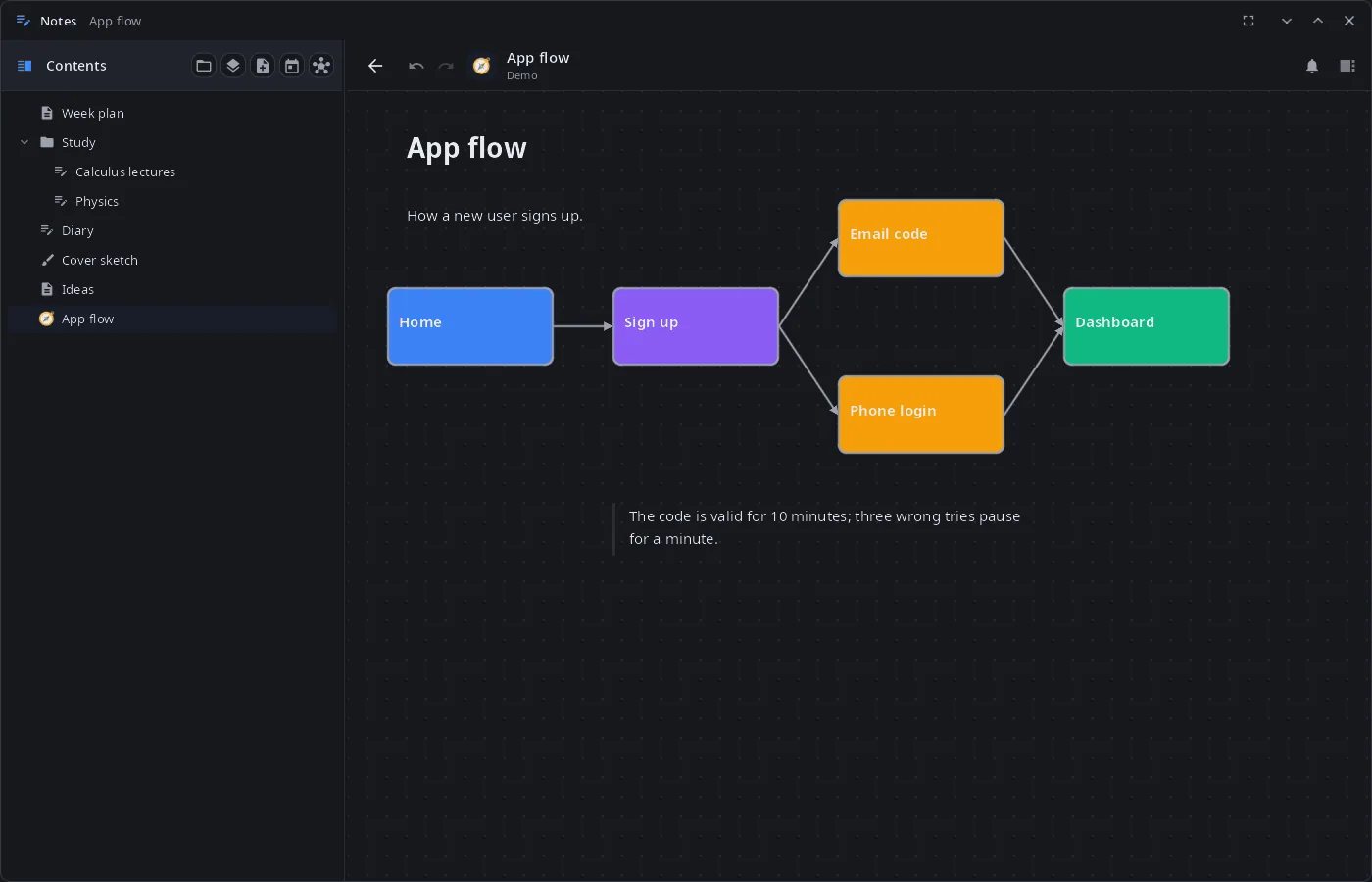
.synfile with all its pages, objects and attachments; several projects can be open at once; changes are saved automatically. The home screen lists notebooks, drawings, books, documents and folders, with search by title. - Pages — a block editor on top of Markdown: headings, lists, to-dos, toggles, callouts, quotes, code, tables, images, audio and video. Any page can become a free canvas: blocks anywhere, shapes and arrows, a grid with snapping.
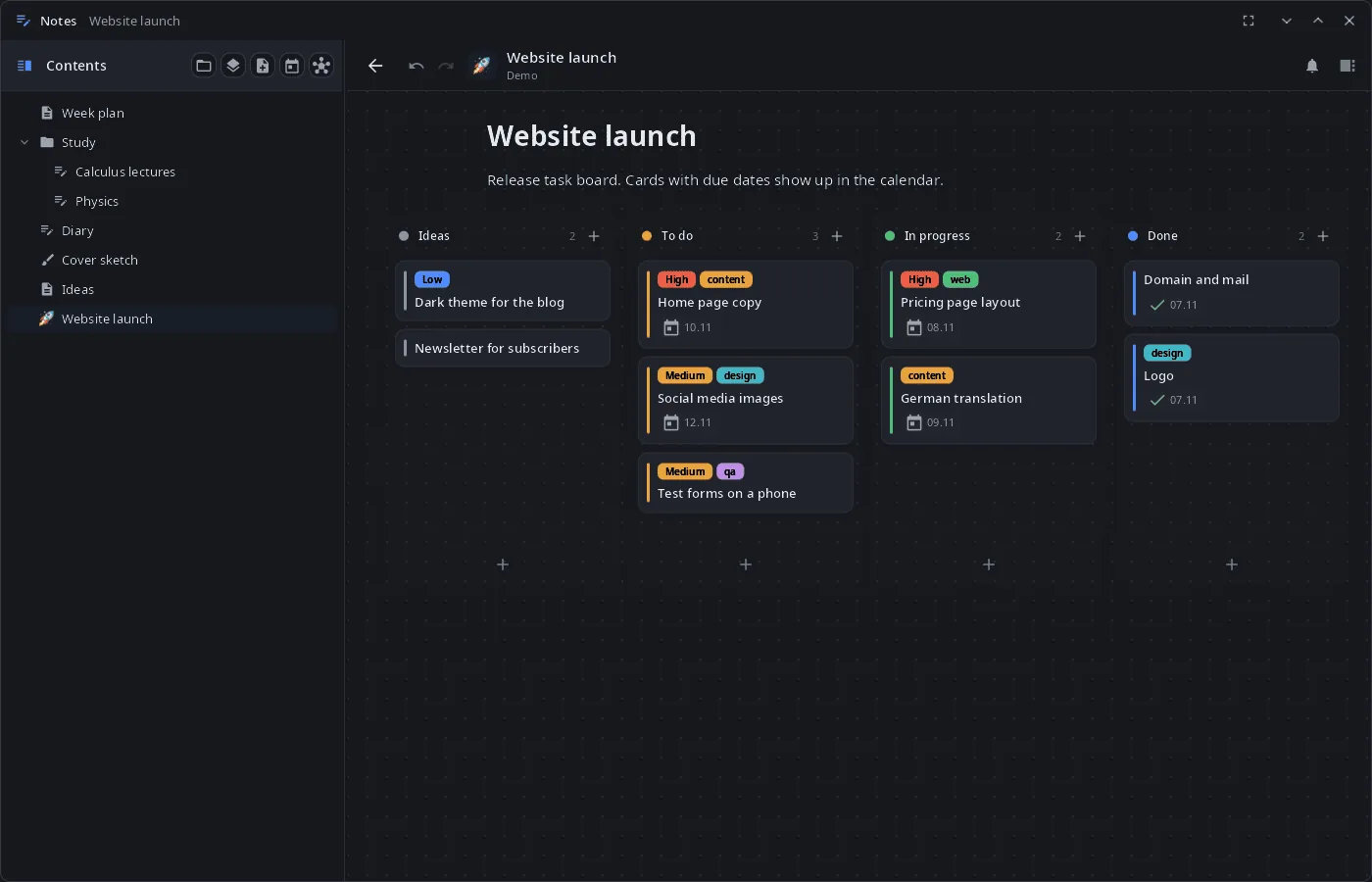
- Kanban boards — columns and cards with priority, tags, due dates, repeats and attached files; an archive; column timers that archive or move old cards.
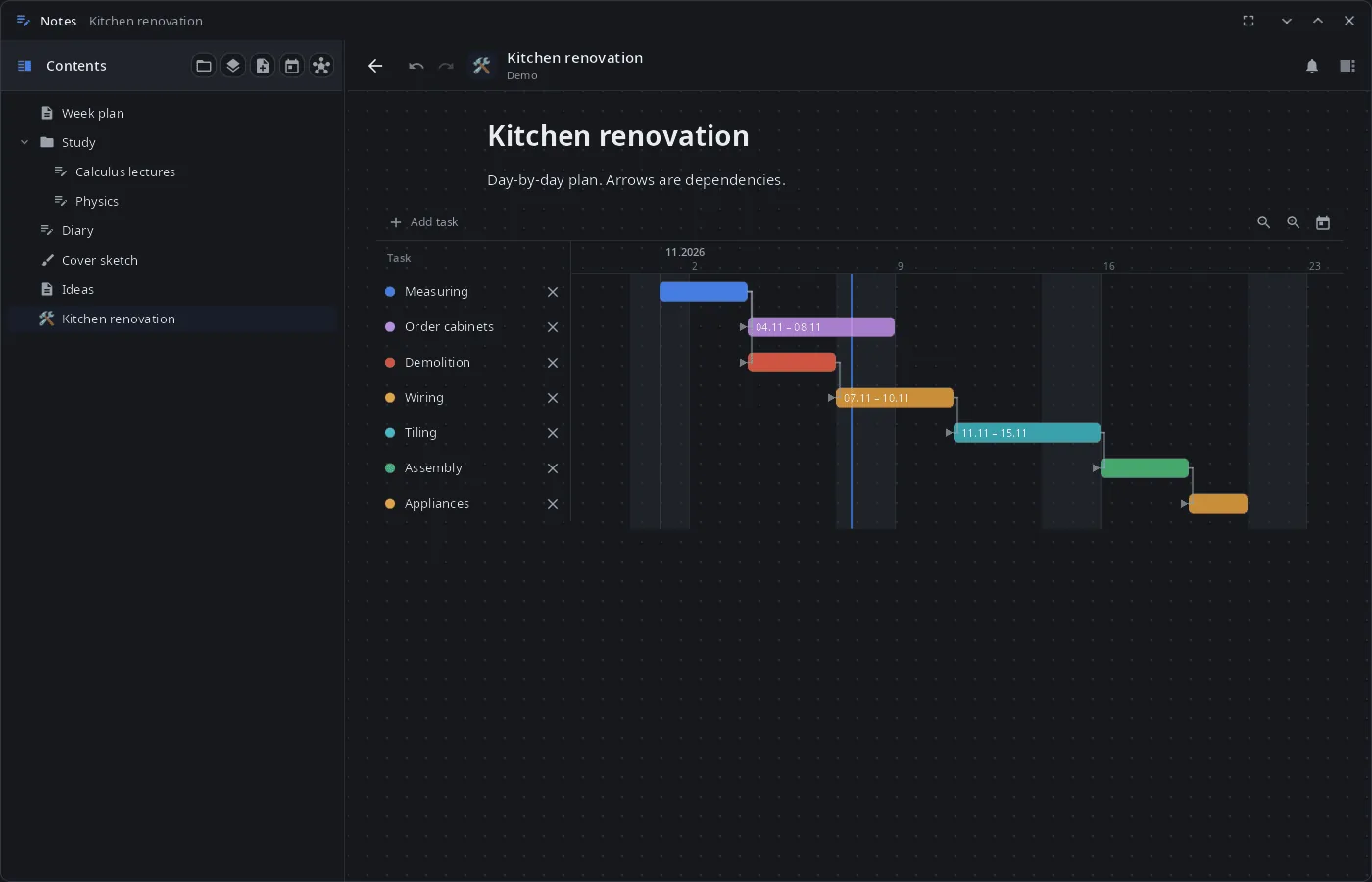
- Gantt charts — tasks with dependencies and zoom; board cards with dates can show up as chart rows.
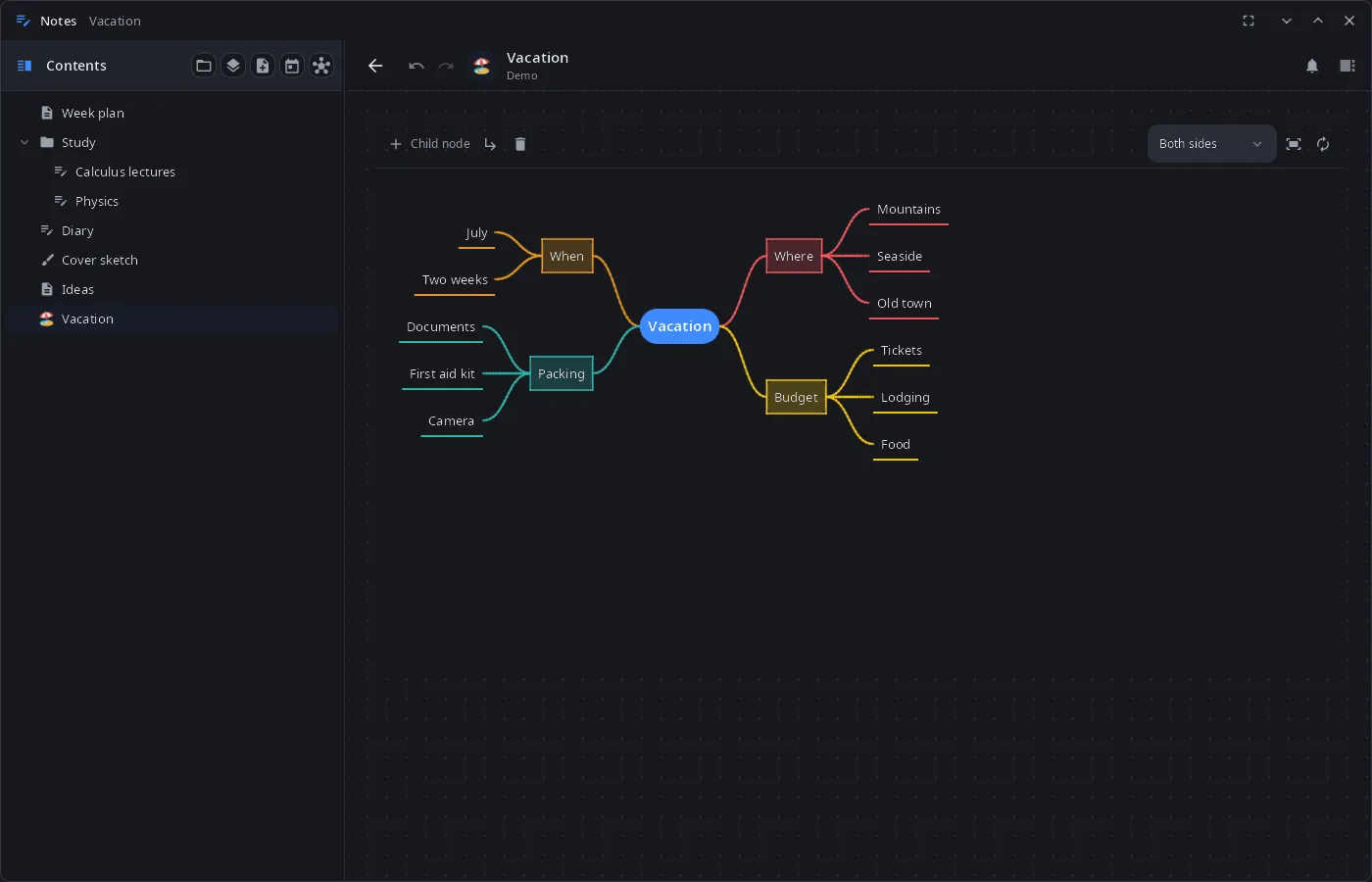
- Mind maps — built from a list and turned back into one; layout to the right, left, both sides, down or radial; colors, icons, notes, links between nodes.
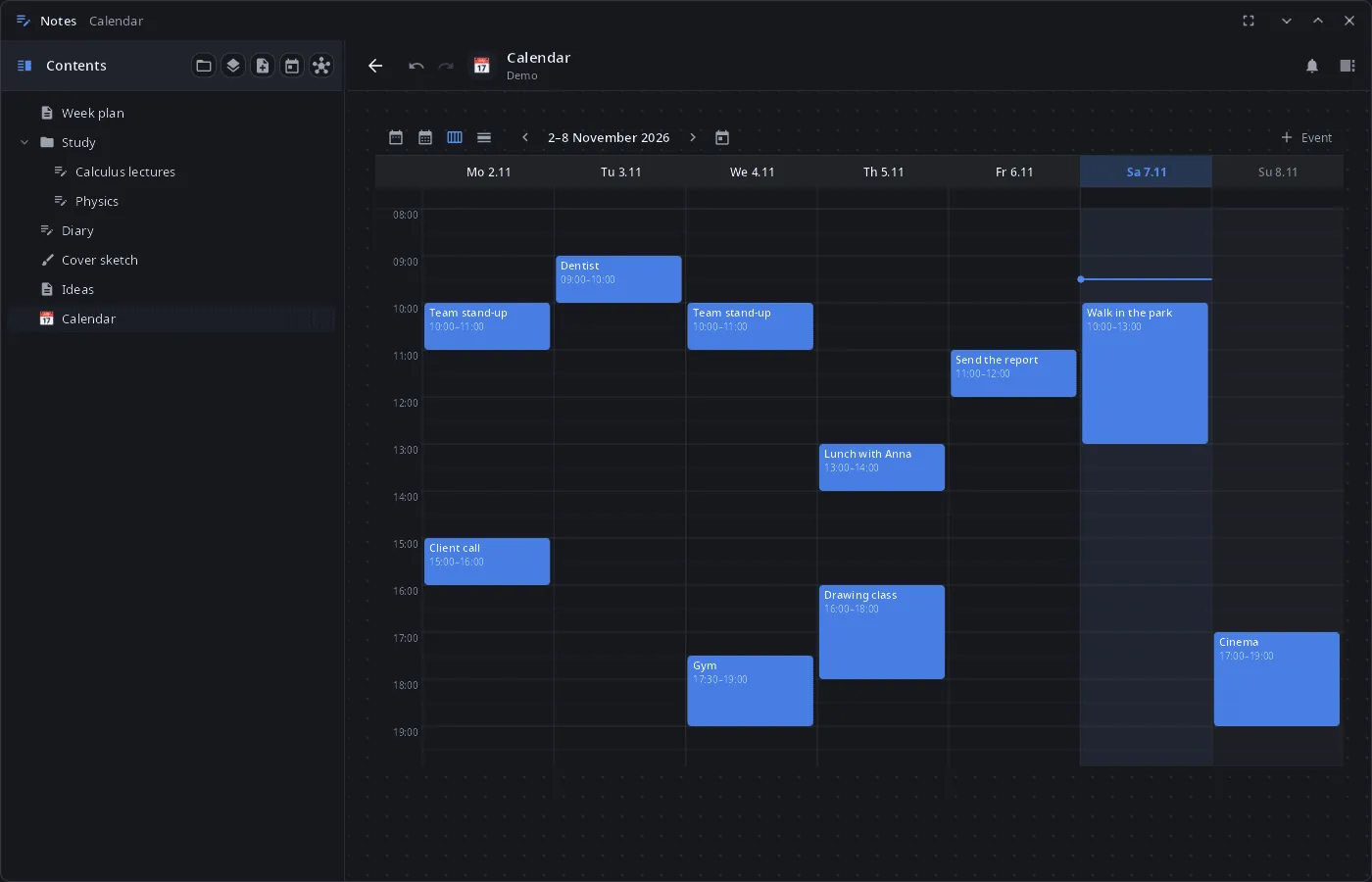
- Calendar — year, month, week and day views; events with repeats; card due dates and Gantt tasks on the same calendar.
- Charts — line, bar, pie, radar and gauge, also made from a table on the page.
- Reminders — card due dates and events come as system notifications with “Open”, “Done” and “In an hour”; they work while the window is closed (the app stays in the background with the session).
- Handwriting — notebooks with fixed-size pages and templates, endless drawings with layers; pen, eraser, lasso, shape recognition by holding the pen; tuned for E Ink screens.
- Book reader — PDF, EPUB, FB2, TXT and Markdown: table of contents, bookmarks, search, highlights with notes, pen marks over the page.
- Links —
[[wiki links]]between pages, backlinks and a link graph;![[Page]]embeds another page. - Text files — TXT, Markdown, source code and configs open in Notes for editing and are saved back in their original encoding and line endings.
- Assistant — the synshell assistant reads and edits pages, boards, charts and the calendar in the open window; its changes go to the project's change log, and a replaced page text can be undone with Ctrl+Z.
- 14 languages — the UI follows the language of the system or the one chosen in System Settings.
| Canvas | Gantt chart | Mind map |
|---|---|---|
 |
 |
 |
Install
Arch Linux (AUR) — x86_64 and aarch64:
yay -S syn-notes-bin      # prebuilt
yay -S syn-notes-git      # built from source
Depends on synshell-core. Optional: poppler-glib (PDF in the reader). Part of the synshell metapackage: yay -S synshell-bin installs the whole desktop. From source: cargo build --release -p syn-notes in the synshell repository.
Command line
syn-notes                          # show the window
syn-notes --background             # start without a window (done by the session: autosave, reminders)
syn-notes open "Week plan"         # open a page by title
syn-notes open ~/Notes/Work.syn    # open a project
syn-notes notes.md main.rs         # edit text files
syn-notes --screenshot shot.png --size 1400x900 --open kanban
                                   # window snapshot on a demo project in a temporary folder
                                   # (--open: canvas, kanban, gantt, mindmap, calendar, notebook, drawing, doc, settings)
A running copy receives the command and shows the page; the new process only passes it on and exits.
Part of synshell
syn-notes is one of the applications of synshell — a Wayland desktop environment in Rust for computers and phones, built on the syngui UI framework.
License
GPL-3.0-only