Features
One window with four sections — tabs in the title bar, Ctrl+1 … Ctrl+4 (Hugging Face, Library, Settings, Training); syn-models --page training opens straight on Training.
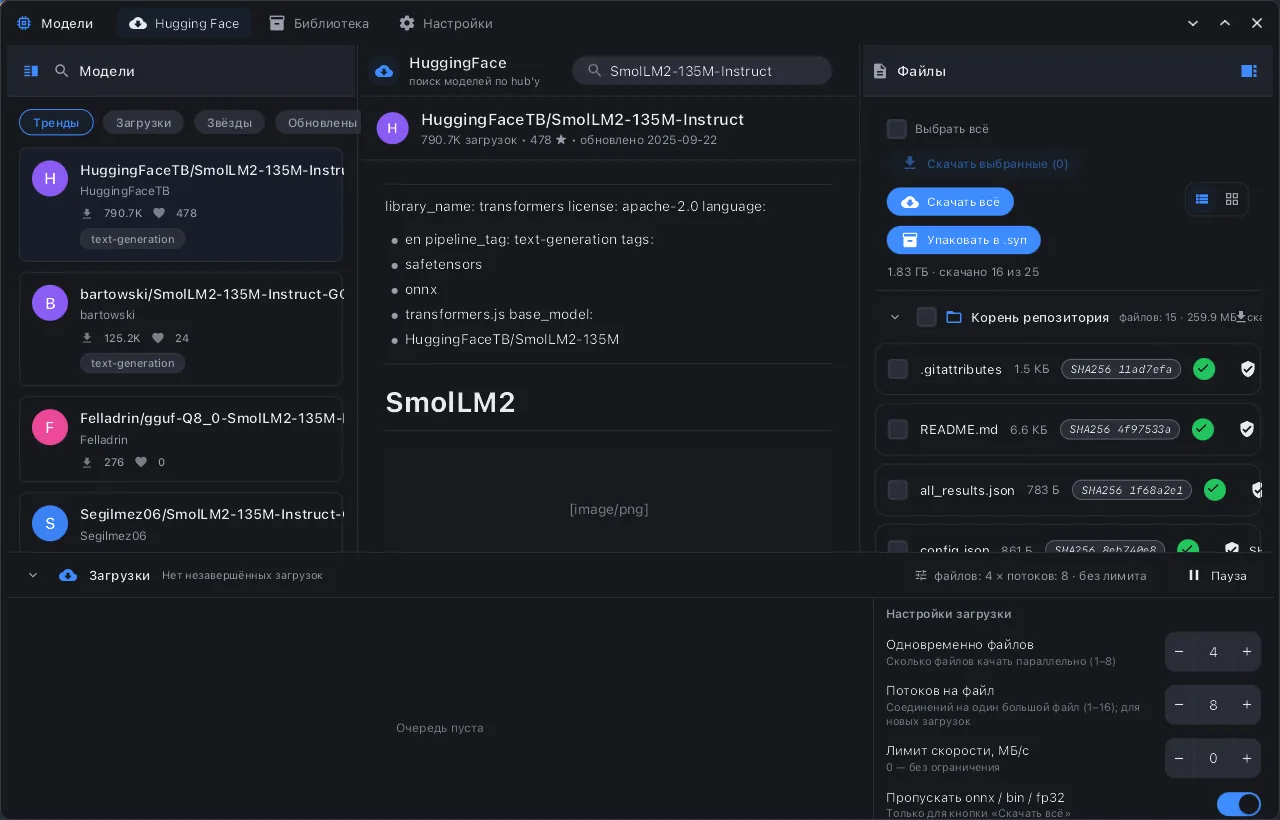
- Hugging Face — search the Hub sorted by trending, downloads, likes or last update; the model's README and its file list with sizes and SHA256.
- Download queue — several files at once, up to 16 HTTP Range segments per file, one shared speed limit, pause; the queue continues after a restart, and every file is checked against its SHA256. “Download all” skips onnx, openvino, fp32 and
.bincopies of the weights. - GGUF — GGUF models download like any other and can be converted from
.ggufto.syn. - Access token — for gated and private models; the field stays hidden.
- Library — bookmarked folders with
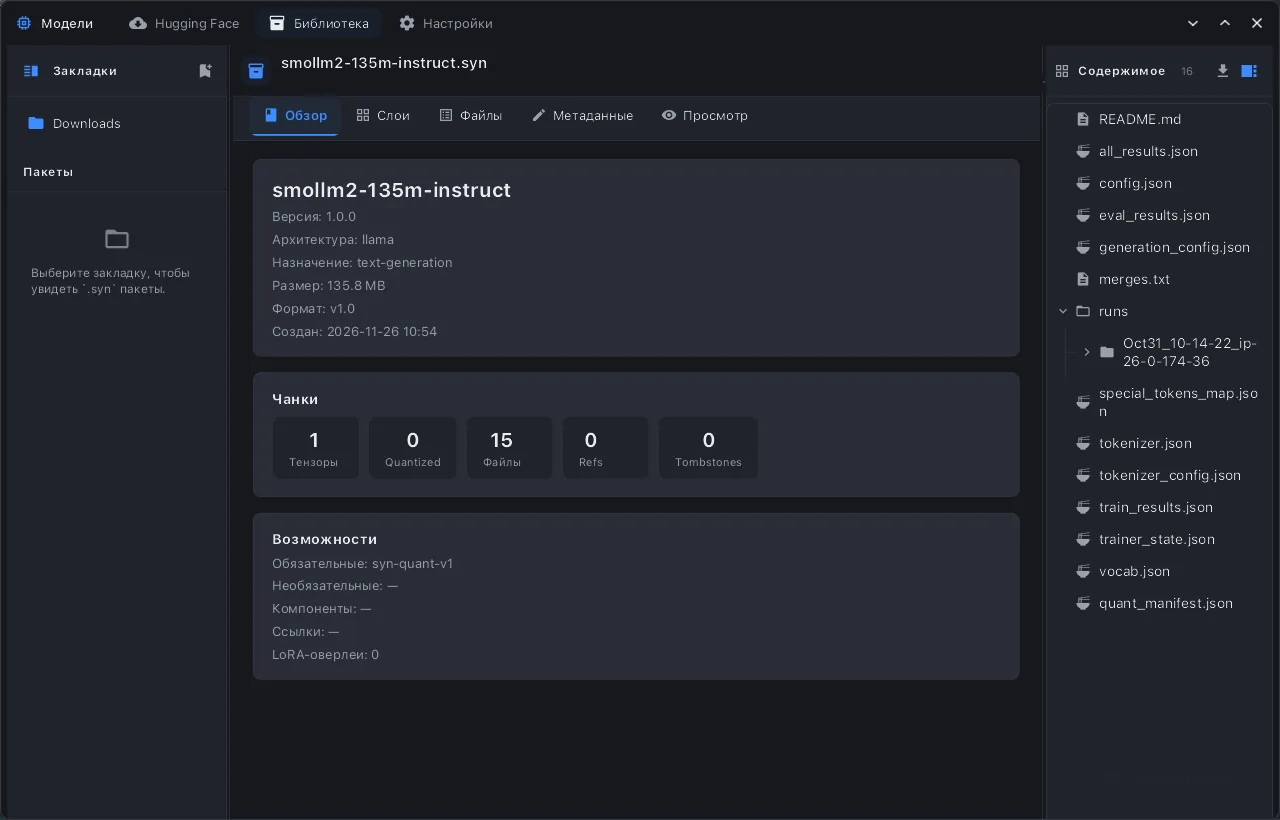
.synpackages; an opened package shows an overview (architecture, purpose, size, format), layers, files, metadata and a preview. - Packing into
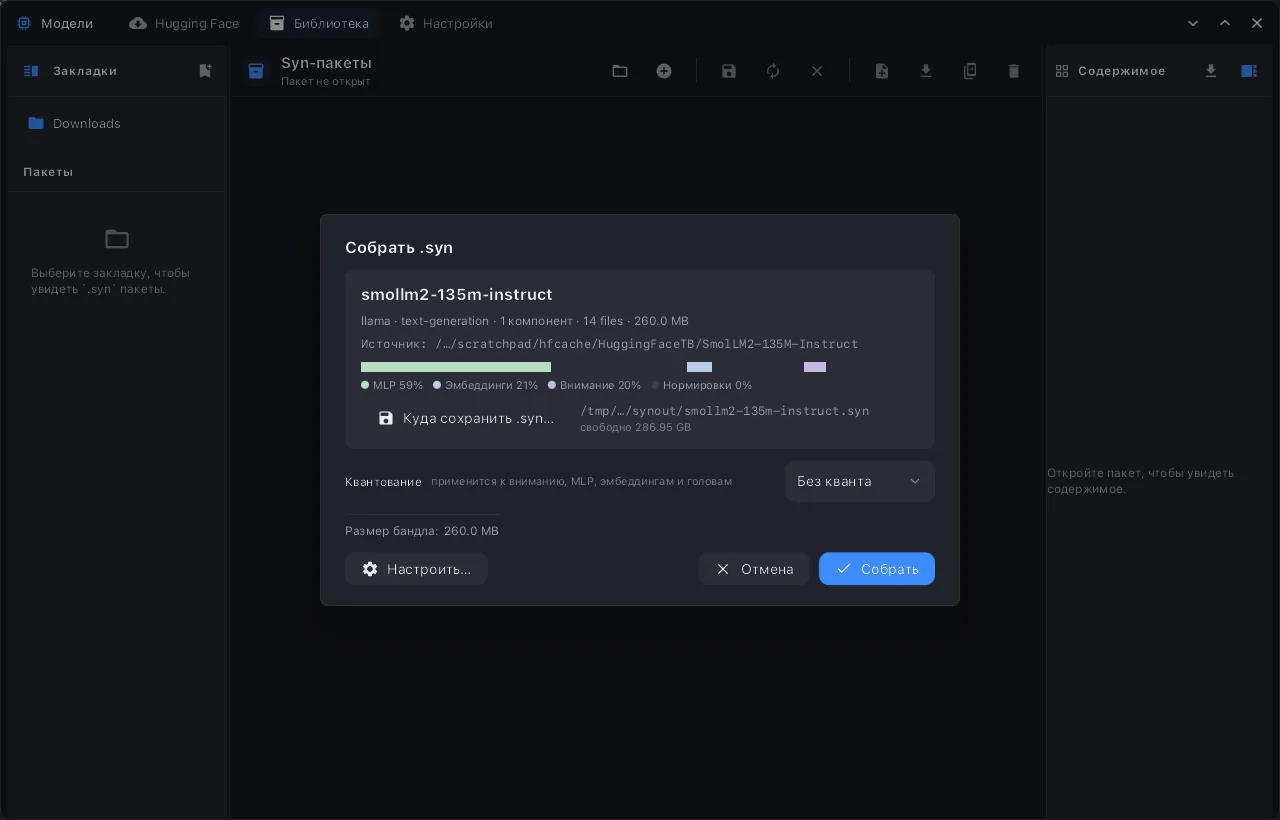
.syn— a wizard shows what the model is made of and packs it with quantization (NVFP4, MXFP8, SQ8 / SQ6 / SQ5 and others). The quantization itself is computed on the GPU by the synshell neural service synaptixd. - One step from download to package — “Pack into .syn” on a downloaded model opens the packing wizard in the Library right away.
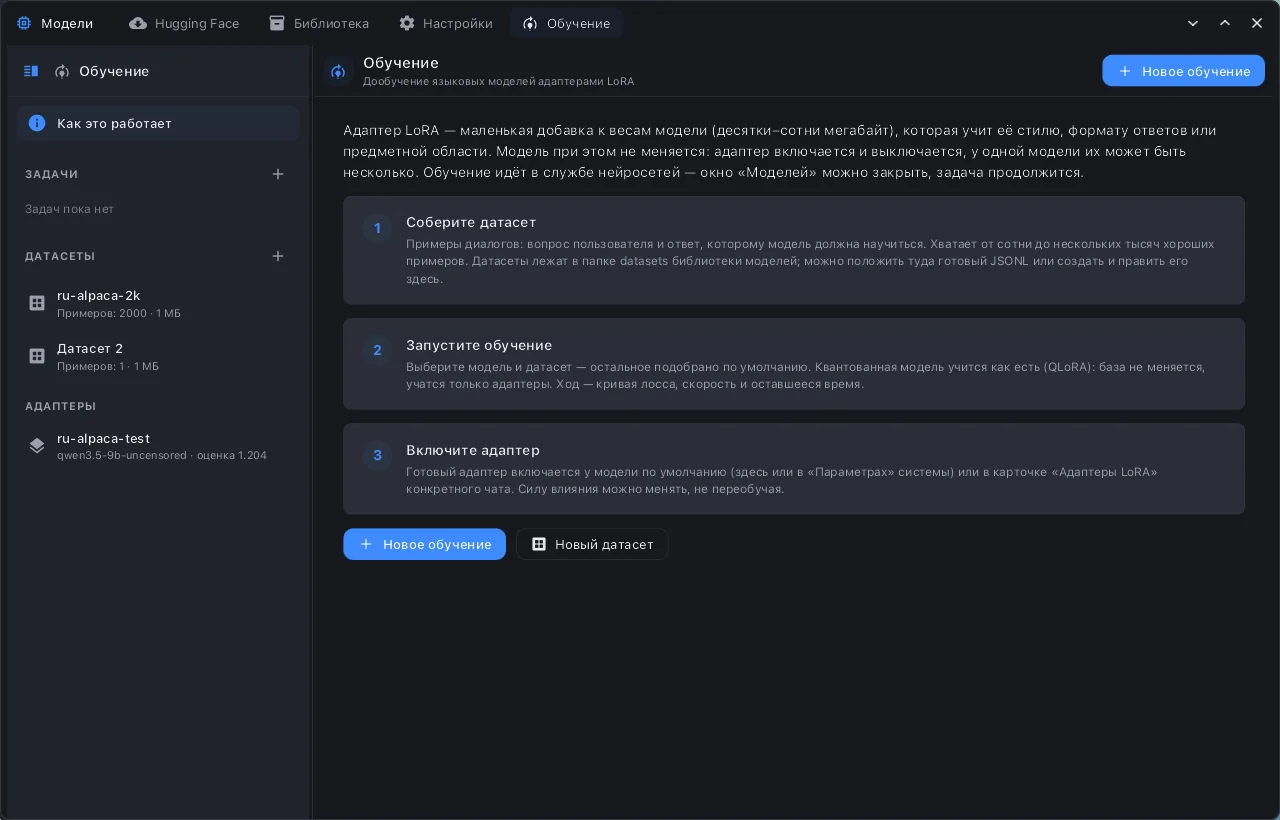
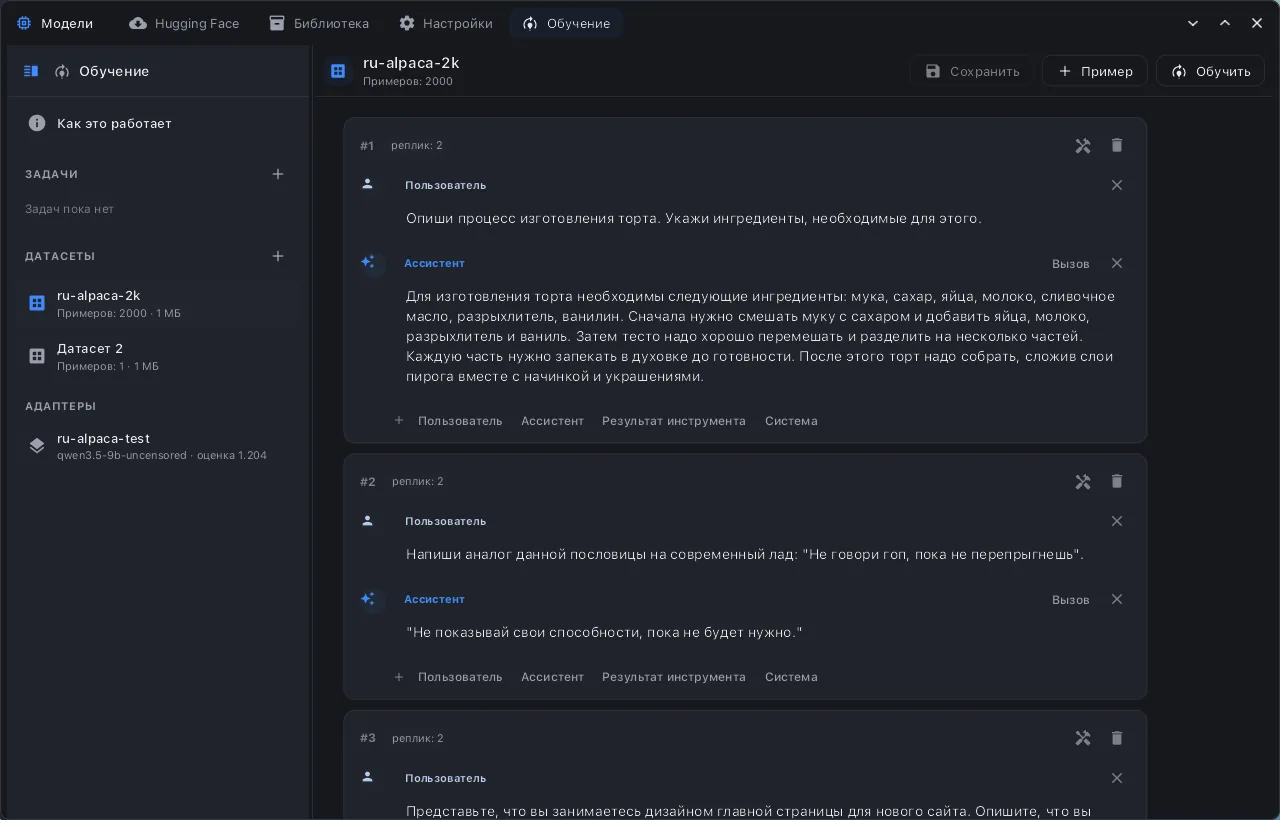
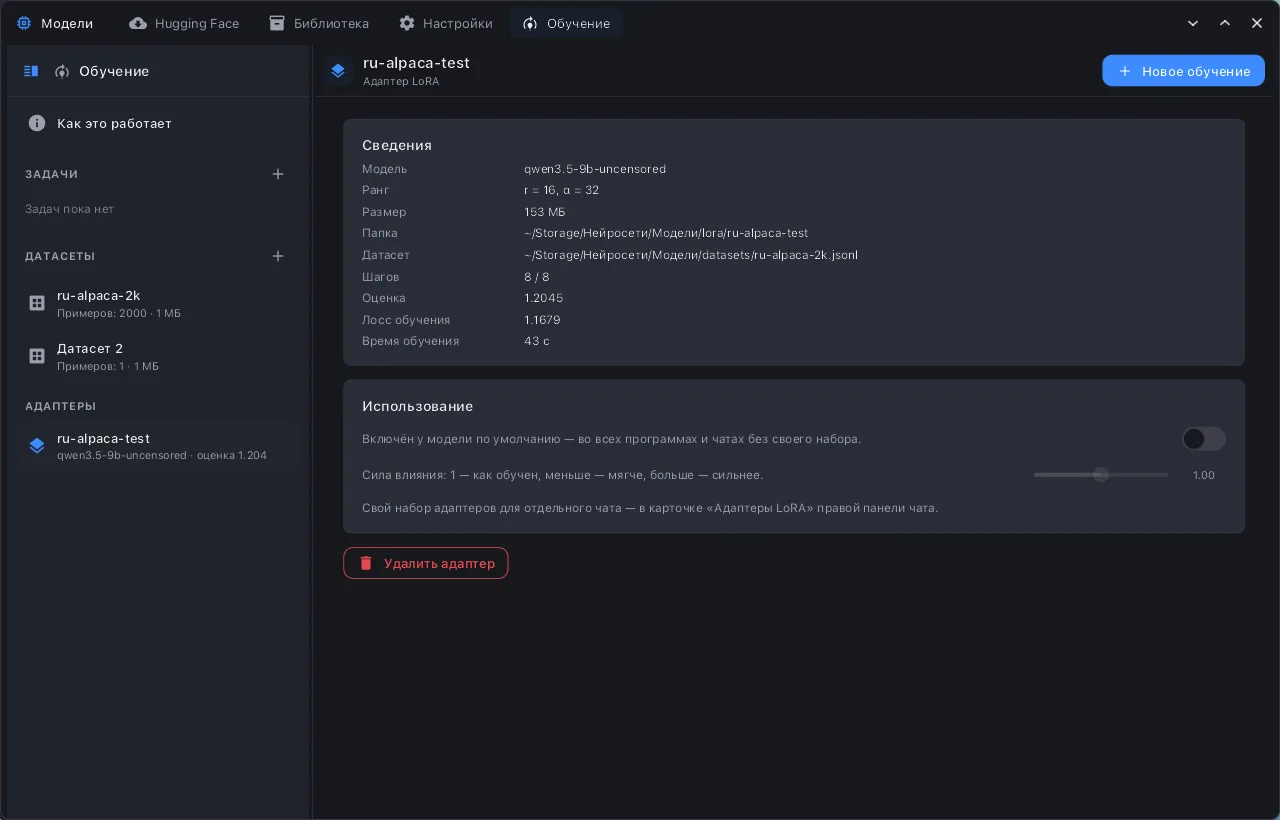
- Training — fine-tuning language models with LoRA adapters: an overview of how it works, training jobs with a live loss chart, speed and time left, datasets with an editor and a check against the model's own tokenizer, and the adapters themselves — switch one on by default for a model, set its strength without retraining, delete it. A quantized model is trained as is (QLoRA). Training runs in the synaptixd service, so the window can be closed while a job runs. In synthos adapters are still switched on per chat in the chat's LoRA card, which links here.
- Settings — token, download cache, parallel files, segments per file, speed limit, formats to skip and the packages folder.
- System Settings — Neural networks → Model storage has an “Open Models” button.
| Training: how it works | Dataset editor | LoRA adapter |
|---|---|---|
 |
 |
 |
Checked end to end: search for SmolLM2-135M-Instruct → download 260 MB → pack with MXFP8 into a 142 MB .syn → synaptixd loads the package and the model answers correctly.
| Packing wizard | Library | Settings |
|---|---|---|
 |
 |
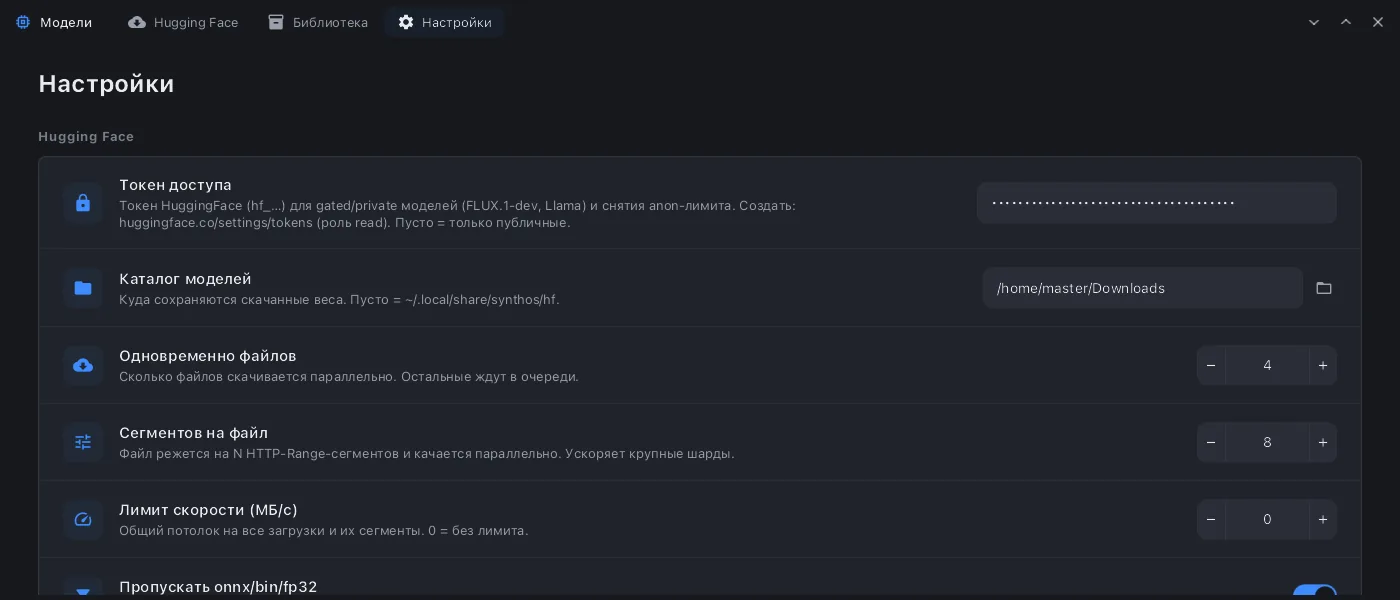 |
Screenshots show the Russian interface.
Install
The syn-models package belongs to the synshell-apps group and depends on synshell-core; the synshell metapackage installs it with the rest of the desktop. Packing with quantization needs the synaptix service. From source: cargo build --release -p syn-models in the synshell repository.
Where it came from
The Hugging Face, Syn packages and LoRA training pages used to live inside synthos. They moved to synshell as this program; on first start it takes over the synthos settings and the unfinished download queue.
Part of synshell
syn-models is one of the applications of synshell — a Wayland desktop environment in Rust for computers and phones, built on the syngui UI framework.
License
GPL-3.0-only